

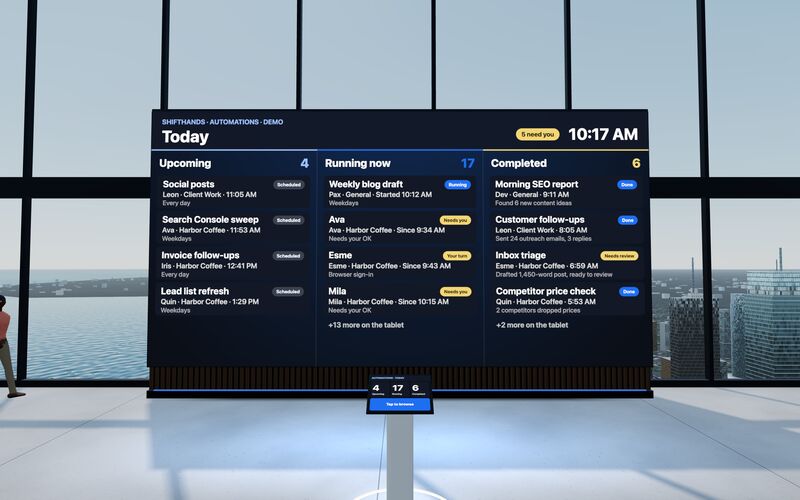
The Automations Wall
A big screen shows today’s Upcoming, Running now and Completed automations. Step up to the tablet to take a closer look at any run.
ShiftHands suits people who run project agents on their own Mac and supervise them from a browser or phone. Squad.so suits businesses that want hosted AI teammates handling recurring operations from a cloud workspace and connected apps.
This comparison covers Squad.so at squad.so, the AI teammate platform for business operations, not the Squad video game.
This comparison is published by ShiftHands, one of the products compared.
ShiftHands
Published this comparison
Project agent workspace on your Mac
Squad.so
by Squad
Hosted AI teammates for business operations
See it working
Click through the real app: projects down the side, a chat per agent, automations that report back, and a browser you can take over. The agents do the typing.
Recorded in the ShiftHands demo workspace.
Virtual Environment
ShiftHands Pro includes the Virtual Environment: a 3D office in the app where your agents work at their desks, grouped by project. Walk over, pull up a chair, and watch your crew get it done.
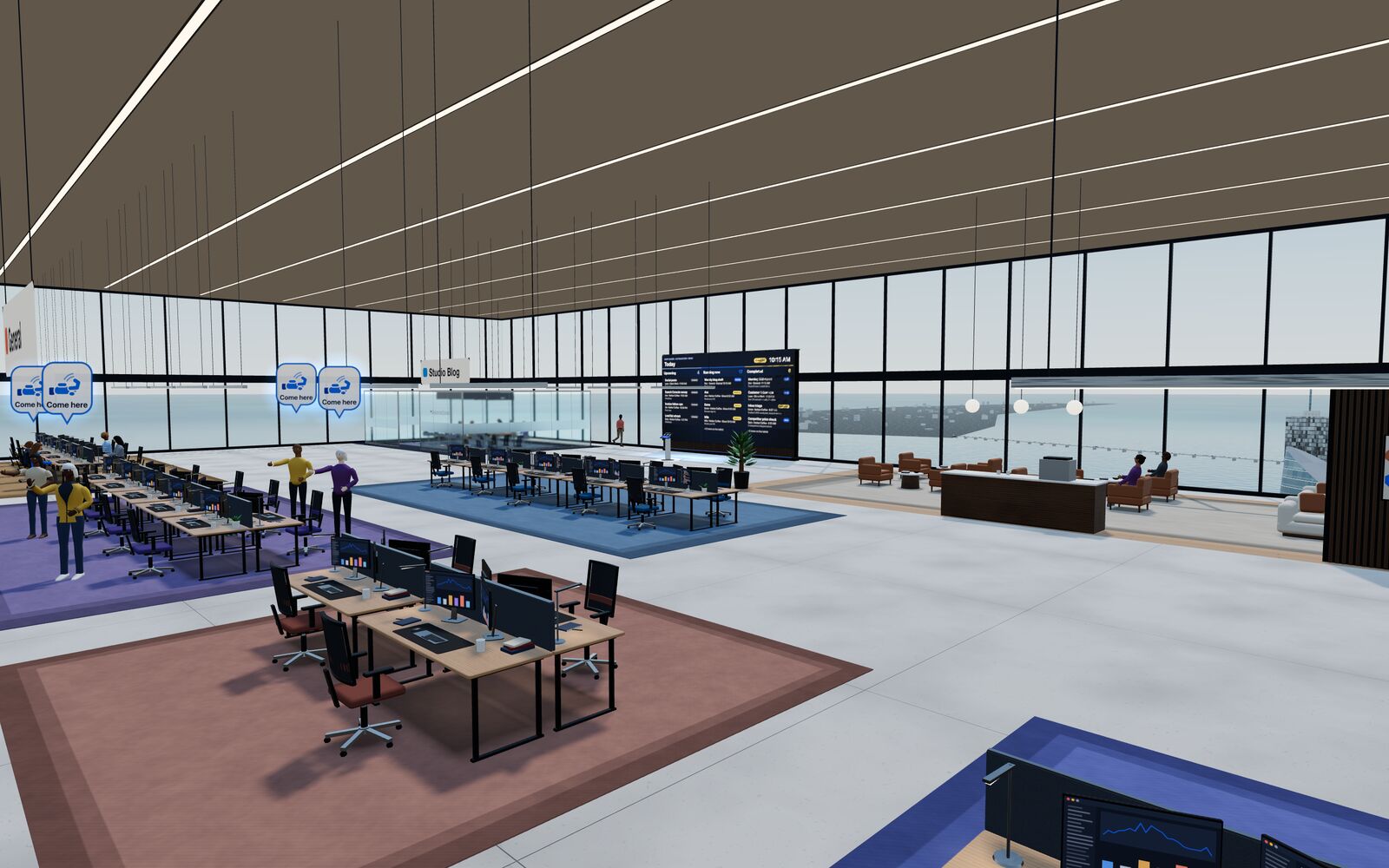
A big screen shows today’s Upcoming, Running now and Completed automations. Step up to the tablet to take a closer look at any run.
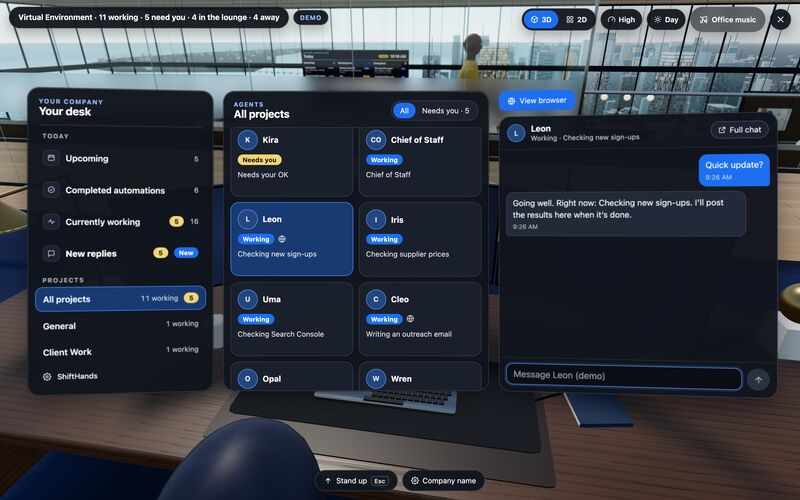
Sit down to see every project and every agent at a glance, and chat with anyone without leaving your chair.
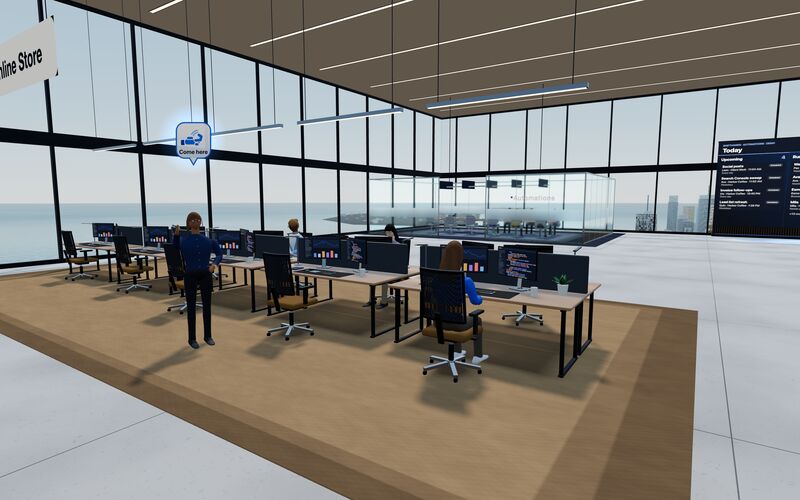
Every agent has a desk in its project area. Agents running an automation head to the Automations room. Walk up to any agent and chat.
Rendered in the ShiftHands demo workspace with made-up names. Open the Virtual Environment from the sidebar or from Chief of Staff in the app. Agents still run on your Mac and use your connected AI accounts.
Organized by what decides the purchase. A pill is a status, not a score.
| Dimension | ShiftHands | Squad.so |
|---|---|---|
| Product type | Project-based agent workspace: a Mac app plus a web app | Hosted AI teammates with a web dashboard |
| Where agents run | On your Apple-silicon Mac (M1 or newer, macOS 13 or later) | On a dedicated cloud workspace computer, one per squad |
| Access to your local files | Local Agents work on the Mac they run on | Not automatic Attach files or connect apps; the private-beta Mac app can request local files or screen access with approval |
| Hardware you provide | An Apple-silicon Mac that stays on with ShiftHands open | None Runs without your computer on |
| How work is organized | Projects, each with agents that keep their own chat, history and model | An AI Chief of Staff and specialists; Missions board, Tickets and agent-written Docs |
| Integrations | Not listed No app-integration catalog listed | 70+ apps Per-teammate access controls, plus MCP servers |
| Browser control | Agents browse in Ego Lite; watch live, take control, hand back | Each agent has a browser on the cloud computer; watch live, take over, hand back |
| Scheduling | Plan-dependent Automations post a result card. Free lists 2 daily automations | Scheduled tasks by preset or cron, plus triggers. Heartbeats start switched off |
| Approvals | Flagged commands: Allow once or Deny, from desk or phone | Settings and instructions App access scopes and send limits are enforced settings. Tickets and draft-first behaviour depend on agent decisions and instructions; actions are not universally approval-gated |
| Channels and phone | Mac app and any browser, including a phone | Web dashboard (phone browser works), Telegram, Discord, Slack, email |
| Native apps | Mac app available now | Not released Mac app in private beta; iOS app marked soon |
| AI models | Claude via Claude Code, ChatGPT via Codex; DeepSeek, GLM, Kimi, Qwen by API key | Your own accounts from 13 providers, with fallbacks and a model per teammate |
| Human team seats | Not listed | $9 a month per seat |
| Free plan | Yes 25 messages a day, 1 project, 3 agents | None No free plan or trial; 7-day money-back on first payment |
| Paid plans | Checkout not live Pro advertised at $49.99/month or $499/year | $99 a month per squad, unlimited AI teammates |
"Not listed" means the first-party pages we read on October 8, 2026 did not establish it. It does not mean the feature is missing.
Both products give you several agents. The difference is how you hand them work, where context lives, how they ask for help and where you check the result.
ShiftHands
You message an agent inside a project, from the Mac app or any browser.
Squad.so
You ask your AI Chief of Staff or a specialist in chat, or add a Mission to the board.
ShiftHands
In the project. Each agent keeps its own chat, history and model.
Squad.so
In shared memory, agent-written Docs and skills on the workspace computer.
ShiftHands
You run agent teams in parallel inside a project.
Squad.so
The lead agent routes work to specialists. You add agents by asking the lead.
ShiftHands
It flags a command for your decision, or you take over its browser.
Squad.so
It opens a Ticket in My Tickets, and the Mission waits until you answer.
ShiftHands
In the agent's chat, where automations post a result card.
Squad.so
On the Missions board, in Docs and in the thread.
This is the main difference. ShiftHands uses your Mac as the agent host. Squad.so gives each squad its own computer in the cloud.
ShiftHands
Squad.so
Not yet available Squad for Mac is in private beta and not available to download yet. In the beta, agents can request your Mac's files or screen, and you approve each request on the Mac.
To see what your Mac needs for ShiftHands, read where ShiftHands agents run.
Both products run scheduled work and give you ways to step in. Their control surfaces are different, so compare them directly.
ShiftHands
Squad.so
Both products let you watch an agent's browser, take over when a site needs a person, and hand control back. The difference is whose computer that happens on.
ShiftHands
Squad.so
Squad.so connects AI teammates to business apps and messaging channels. ShiftHands focuses on agents working on your Mac, which you supervise through its Mac app or a browser.
ShiftHands
Squad.so
Both use AI accounts you connect. Neither includes unlimited model usage; your provider's plan, charges and limits apply.
ShiftHands
Squad.so
These buy different things: an app for agents on your Mac, versus a hosted computer, integrations and team features. AI-provider costs are separate on both.
ShiftHands
from $0/month
Squad.so
$99/month
Source: Squad.so pricing.
You can start ShiftHands Free today on a Mac you own. Squad.so costs $99 a month before AI-provider costs and any add-ons.
Trade-off Not a fit if you need agents running without your Mac on, Windows or Intel Mac hosts, a large integration catalog, or a paid plan you can buy today.
Choose Squad.so if you want AI teammates to handle recurring business operations from a hosted cloud workspace rather than your own computer. Its AI Chief of Staff organizes specialists, while Missions, Tickets, integrations and messaging channels support work across the business.
Trade-off Squad.so has no free plan or trial, and its native Mac and iOS apps aren't released yet.
Still weighing other options? See Squad.so alternatives.
ShiftHands runs agents on your Apple-silicon Mac. Squad.so runs them on a dedicated cloud computer, which can't see your laptop or files unless you attach them or connect an app.
For ShiftHands, yes: agents need an Apple-silicon Mac with macOS 13 or later, and other devices watch through a browser. Squad.so runs in the cloud and works from a web browser; its Mac app is in private beta.
Yes, with both. ShiftHands works in any phone browser, where you can reply and answer flagged commands. Squad.so's dashboard works in a phone browser, and you can also reach agents through Telegram, Discord, Slack or email.
Yes, with both. Each uses AI accounts you connect, and your provider's charges and limits apply. Neither resells unlimited model usage.
Squad.so: it documents 70+ integrations and MCP server support. ShiftHands lists no app-integration catalog.
ShiftHands holds flagged commands for Allow once or Deny, depending on agent settings. Squad.so uses tickets, drafts and send controls; its docs say agents don't ask first unless they open a ticket or write a draft.
ShiftHands Free includes 25 agent messages a day, 1 project and 3 agents. Squad.so has no free plan or trial; it costs $99 a month per squad.
Agents move from a hosted computer to your own Mac, and from a Missions board to project chats. Integrations and messaging channels don't carry over, so check the apps you rely on first.
ShiftHands facts: ShiftHands homepage, pricing and download page, checked October 8, 2026.
Squad.so facts: Squad.so homepage, pricing, What Squad is, workspace computer, control, scheduling, AI accounts, channels and Squad for Mac, read October 8, 2026.
This comparison is published by ShiftHands, one of the products compared. Product names belong to their owners. ShiftHands is not affiliated with Squad. It compares documented features; we did not run hands-on tests. Facts and prices were checked on each product's own site on October 8, 2026 and can change.