

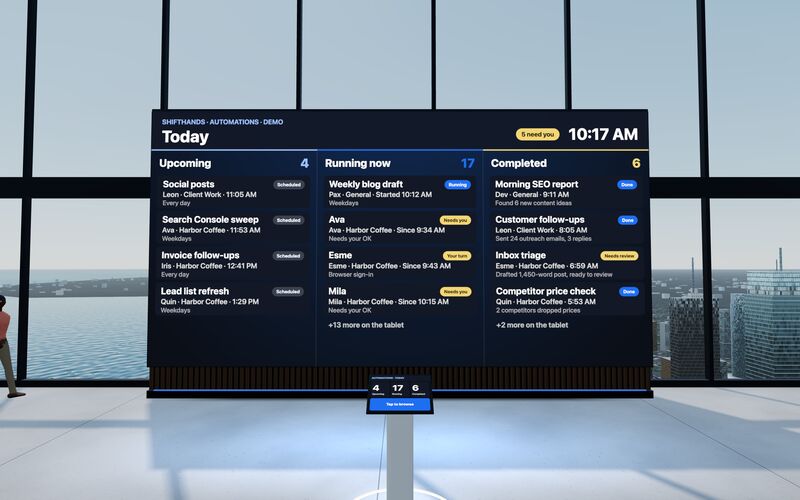
The Automations Wall
A big screen shows today’s Upcoming, Running now and Completed automations. Step up to the tablet to take a closer look at any run.
ShiftHands Comparisons
ShiftHands suits people who hand work to project-based agents on their Mac and supervise them from a browser or phone. BridgeMind suits people who want one desktop workspace for working directly with installed coding agents, in terminals, threads and named teammates.
This comparison is published by ShiftHands, one of the products compared.
ShiftHands
Published this comparison
Project agent workspace on your Mac
BridgeMind
by BridgeMind LLC
Multi-mode desktop agent app
See it working
Click through the real app: projects down the side, a chat per agent, automations that report back, and a browser you can take over. The agents do the typing.
Recorded in the ShiftHands demo workspace.
Virtual Environment
ShiftHands Pro includes the Virtual Environment: a 3D office in the app where your agents work at their desks, grouped by project. Walk over, pull up a chair, and watch your crew get it done.
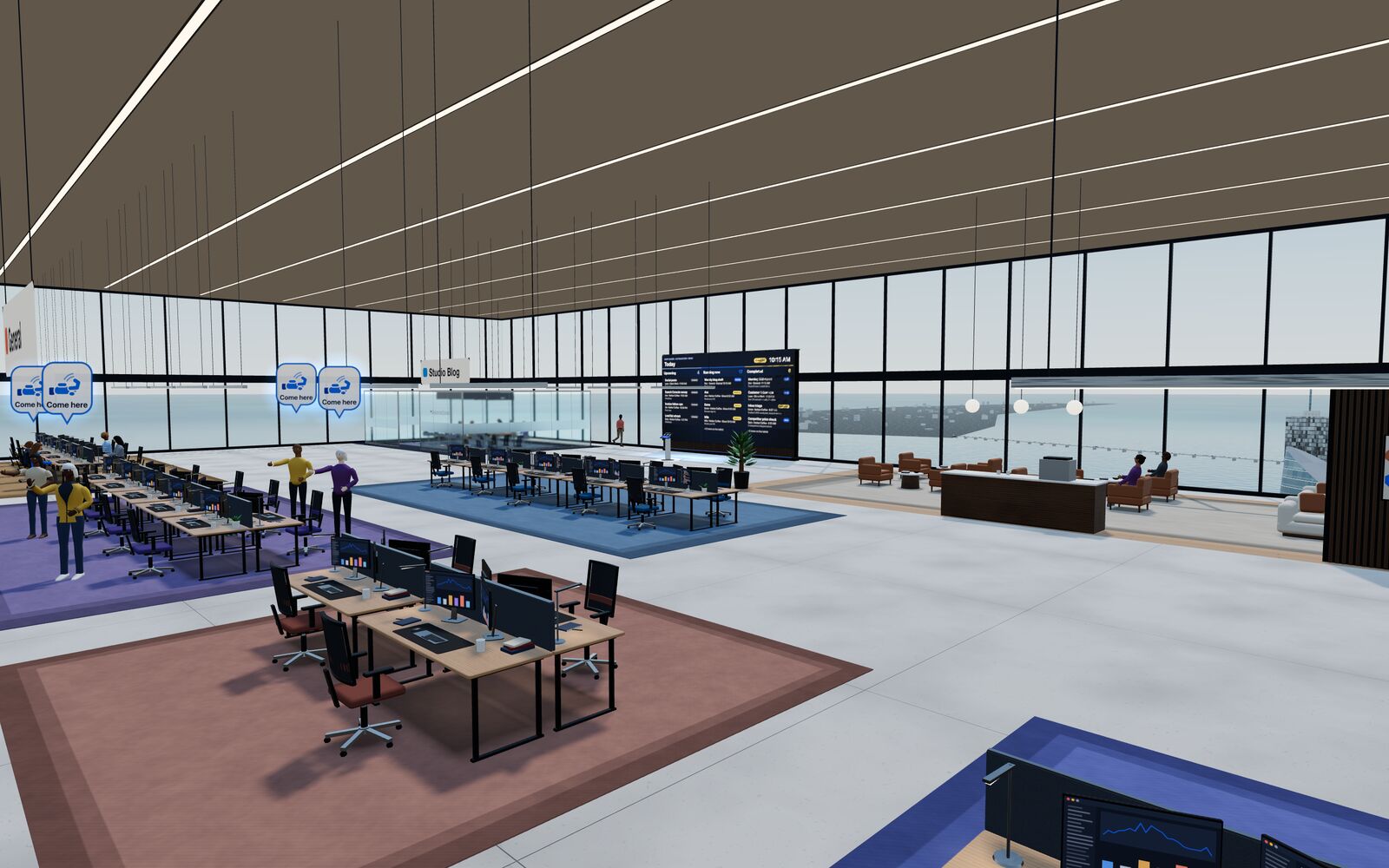
A big screen shows today’s Upcoming, Running now and Completed automations. Step up to the tablet to take a closer look at any run.
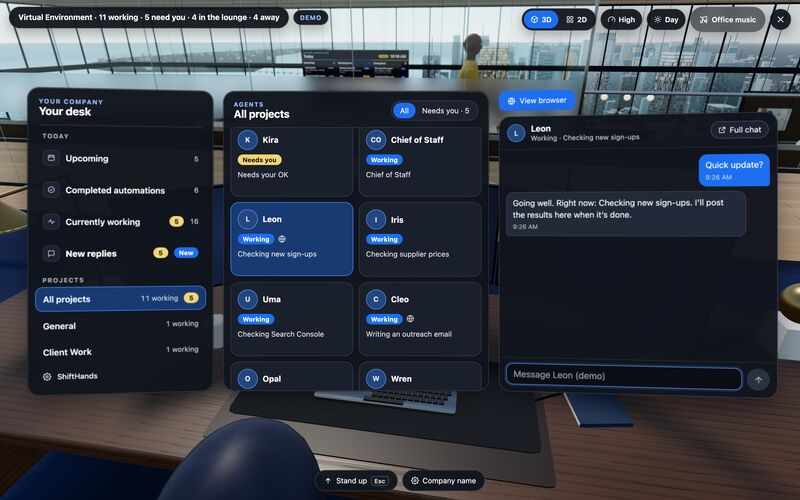
Sit down to see every project and every agent at a glance, and chat with anyone without leaving your chair.
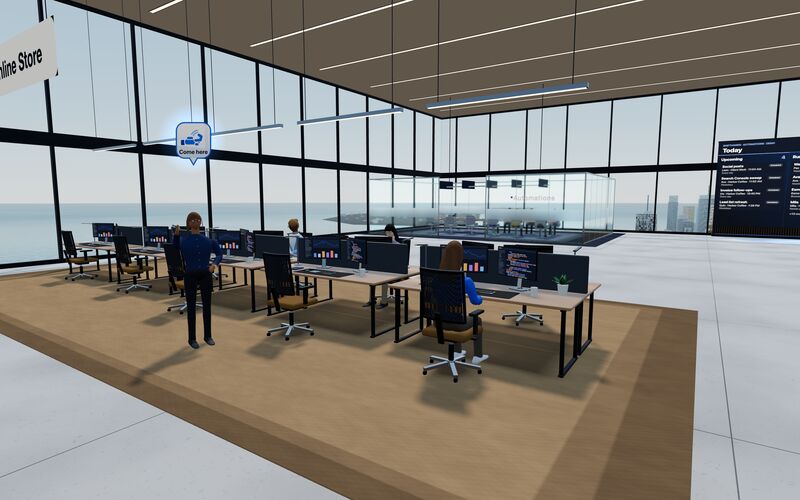
Every agent has a desk in its project area. Agents running an automation head to the Automations room. Walk up to any agent and chat.
Rendered in the ShiftHands demo workspace with made-up names. Open the Virtual Environment from the sidebar or from Chief of Staff in the app. Agents still run on your Mac and use your connected AI accounts.
Organized by what decides the purchase. A pill is a status, not a score.
| Dimension | ShiftHands | BridgeMind |
|---|---|---|
| Product type | Project-based agent workspace: a Mac app plus a web app | Multi-mode desktop app: Agent, Code and Thread modes |
| Where agents run | On your Apple-silicon Mac (M1 or newer, macOS 13 or later) | Sources conflict Pricing page: macOS 14+, Windows 10/11, Linux. Docs: macOS 26; Windows in development; Linux not supported |
| Intel Macs | Not supported Not in the first release | Universal installer Per the pricing page and Mac docs; macOS version unresolved |
| Supervise from other devices | Any browser Including a phone, while the Mac does the work | Not verified Not stated in the first-party pages we read |
| How work is organized | Projects, each with agents that keep their own chat, history and model | Teammates with memory and skills; project folders with terminals, threads, files and browser panes; standalone chats |
| Parallel work | Parallel agent teams; Free allows subagent teams of up to 2 | Code mode session presets, from Solo up to Swarm (several parallel sessions) |
| Scheduled work | Plan-dependent Automations report back in the agent's chat. Free lists 2 daily automations. | Routines that open a fresh chat with the teammate |
| Host must stay on | Yes: Mac on, ShiftHands open | Yes: routines run only while the app is open |
| Approvals | Flagged commands: Allow once or Deny, from desk or phone. Depends on agent settings | Approval review in Thread mode, described on the website. Docs recommend explicit approval for publishing, deletion and spending. |
| Browser | Separate install Agents browse in Ego Lite; watch live, take control, hand back | Browser pane to inspect a local or remote web surface |
| Agents and models | Claude via Claude Code, ChatGPT via Codex; DeepSeek, GLM, Kimi, Qwen by API key | CLIs on your computer, such as Claude Code, Codex, Cursor Agent, Gemini CLI and GitHub Copilot |
| Voice | Not listed No voice feature listed | Plan-dependent BridgeVoice with Pro and Ultra |
| Free plan | Yes 25 messages a day, 1 project, 3 agents | None listed |
| Paid plans | Checkout not live Pro advertised at $49.99/month or $499/year | Basic $20, Pro $50, Ultra $100 a month |
"Not verified" and "Not listed" mean the first-party pages we read on October 6, 2026 did not establish it. They do not mean the feature is missing.
Both apps run coding agents such as Claude Code and Codex. The difference is where you start a task, where its context lives, how you step in and where you review the result.
ShiftHands
You message an agent inside a project, from the Mac app or any browser.
BridgeMind
You pick a mode: a teammate in Agent mode, a terminal or thread in Code mode, or a standalone chat.
ShiftHands
In the project. Each agent keeps its own chat, history and model.
BridgeMind
In the teammate's memory and skills, or in the project folder's terminals, threads and files.
ShiftHands
You reply in the agent's chat, answer flagged commands, or take over its browser.
BridgeMind
You type into the live terminal or coding thread, or message the teammate in its chat.
ShiftHands
In the agent's chat, where automations post a result card.
BridgeMind
In the coding thread and project files, or in the fresh chat a routine opens.
The coding-agent workflows compared here run commands on your computer. Hosted model requests go to the provider you connect. Scheduled work depends on the host computer and app remaining available.
ShiftHands
BridgeMind
Check first BridgeMind's pricing page and its docs disagree on platforms. Confirm the current requirements with BridgeMind before you subscribe.
To see what your Mac needs for ShiftHands, read where ShiftHands agents run.
Both apps can start work on a schedule. Both need the host computer on and the app open when it runs.
ShiftHands
BridgeMind
A browser pane, an agent that browses, and phone access are three different things. Here is what each app documents.
ShiftHands
BridgeMind
For coding-agent model access, both use your own supported AI subscriptions or API keys. Provider charges and limits are separate from the app plan.
ShiftHands
BridgeMind
Monthly prices are compared with monthly prices. Annual totals are labelled. Coding-agent model access is separate from app pricing.
ShiftHands
from $0/month
BridgeMind
from $20/month
Source: BridgeMind pricing.
You can use ShiftHands Free today. BridgeMind Basic costs $20 a month on monthly billing, or $192 a year paid annually, equivalent to $16 a month. Model access uses your own supported subscription or API account.
Trade-off Not a fit if your agents must run on Windows, Linux or an Intel Mac, or if you need to buy a paid plan today.
Check first Confirm the current platform requirements before subscribing. The pricing page and the docs disagree on macOS versions, Windows and Linux.
Still weighing other options? See BridgeMind alternatives.
ShiftHands organizes agents by project and lets you supervise them from a browser or phone. BridgeMind is a desktop app for working directly with coding agents, in terminals, threads and named teammates.
No. ShiftHands agents run on an Apple-silicon Mac with macOS 13 or later. A Windows PC or phone can watch and chat through a browser, but it cannot host the agents.
Its pricing page lists Windows 10 or 11 and Linux. Its docs list Windows as in development and Linux as not supported. Confirm with BridgeMind before you rely on either.
With ShiftHands, yes: any browser, including a phone, can read agent chats, reply and answer flagged commands. We could not verify phone access for BridgeMind.
Model access is separate from the app plan. A supported subscription you already pay for may cover your usage; API charges and any extra usage follow your provider's terms. BridgeMind credits cover its own metered features, not usage through your connected coding-agent accounts.
ShiftHands Free includes 25 agent messages a day, 1 project and 3 agents. BridgeMind lists no free plan; Basic starts at $20 a month.
Not in the same form. ShiftHands is built around agent chats and supervision, not terminal panes. If live terminals are central to your work, BridgeMind fits that better.
ShiftHands facts: ShiftHands homepage, pricing and download page, checked October 6, 2026.
BridgeMind facts: BridgeMind homepage, BridgeMind pricing, BridgeMind One docs, Code Mode, Agent Mode, Routines and BridgeMind One for macOS, read October 6, 2026.
This comparison is published by ShiftHands, one of the products compared. Product names belong to their owners. ShiftHands is not affiliated with BridgeMind. It compares documented features; we did not run hands-on speed or migration tests. Facts and prices were checked on each product's own site on October 6, 2026 and can change.