
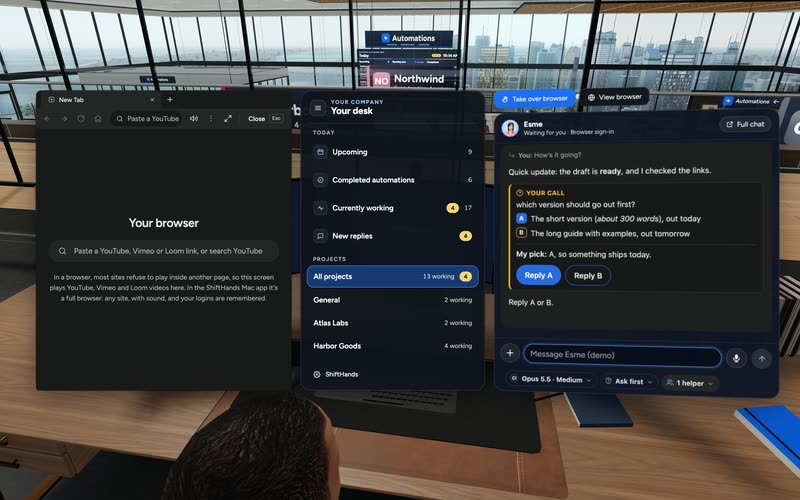
Your desk
Sit down for Upcoming, Completed, Currently working and New replies in one panel. Press My desk to get back here from anywhere.
ShiftHands gives your AI agents a 3D office, with desks grouped by project and live activity you can walk up to. Check who’s working, open an agent’s chat, watch automations and see what needs your attention. The office works in the Mac app and your browser, including on your phone.
Office tour
This is the real Virtual Environment, recorded in the ShiftHands demo workspace with made-up names. Press play for the full tour, or keep scrolling for each part of the office.

Recorded in the ShiftHands demo workspace with made-up projects and names. In the app, open the office from the sidebar or from Chief of Staff.
The AI agent office is ShiftHands’ Virtual Environment. It turns the agents in your ShiftHands workspace into people at desks, so you can see your whole team at once. It is a way to view and reach your agents, not a separate place where they run. It shows ShiftHands agents only. It is not a viewer for agents built in other tools.
Projects, agents, chats and automations in the office are the same ones in the rest of the app.
The point is to spot who is working, who has replied and who needs you, then act on it.
Agents still run in the ShiftHands Mac app on your Apple-silicon Mac, using the AI accounts you connect.
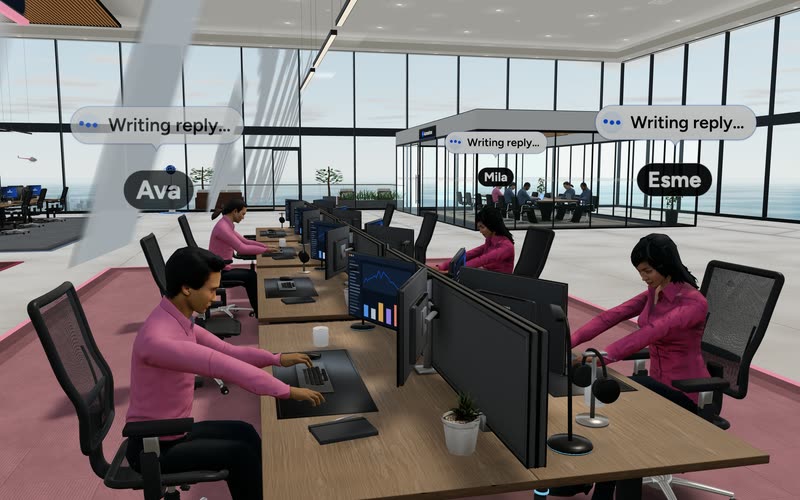
Agent desks
Every agent has a desk in its project’s colour-coded area. Status chips across the top of the office show who is in each state. Tap New replies to walk straight to an unread answer.
Movement in the office reflects the state of your ShiftHands agents and automations. It is a picture of the work, not extra work the agents do on their own.
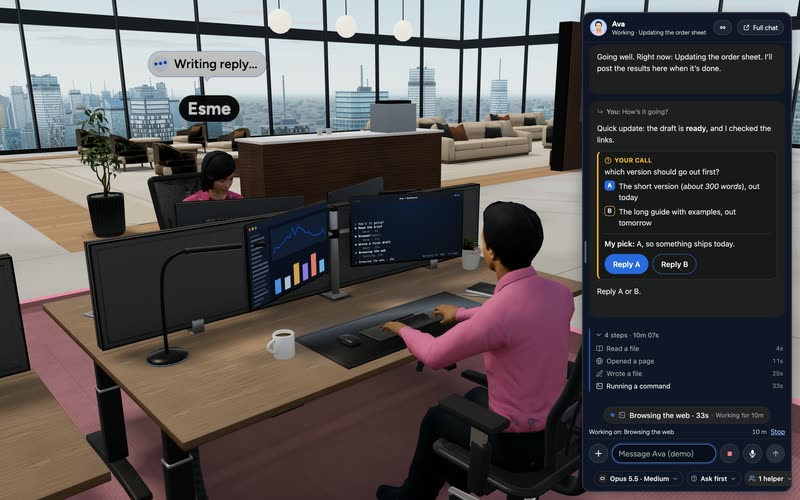
Live work
Walk over to any desk and press E. The agent’s chat opens beside you, with its live steps, and its monitor shows a live terminal of the work.
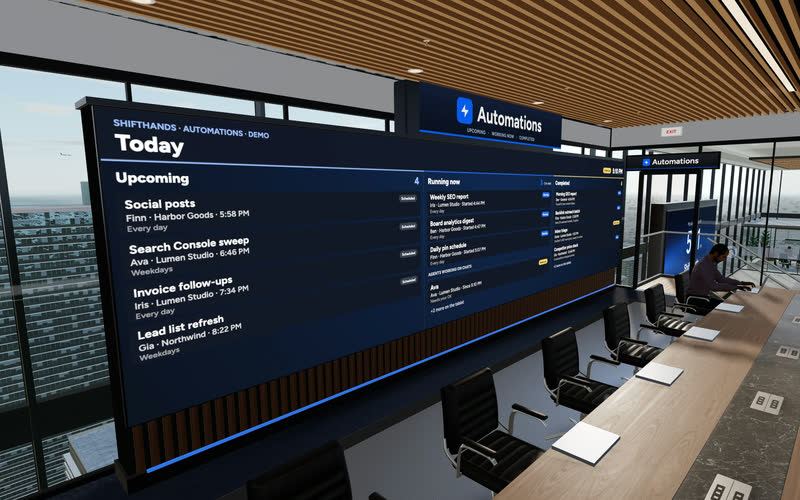
Automations
Scheduled work gets its own big screen. The Automations Wall shows today’s Upcoming, Running now and Completed automations, so you can check the day at a glance.
Your desk
Your own desk is the control point of the office. From there, your Chief of Staff and the Strategy Whiteboard keep the next steps in view.
Sit down for Upcoming, Completed, Currently working and New replies in one panel. Press My desk to get back here from anywhere.
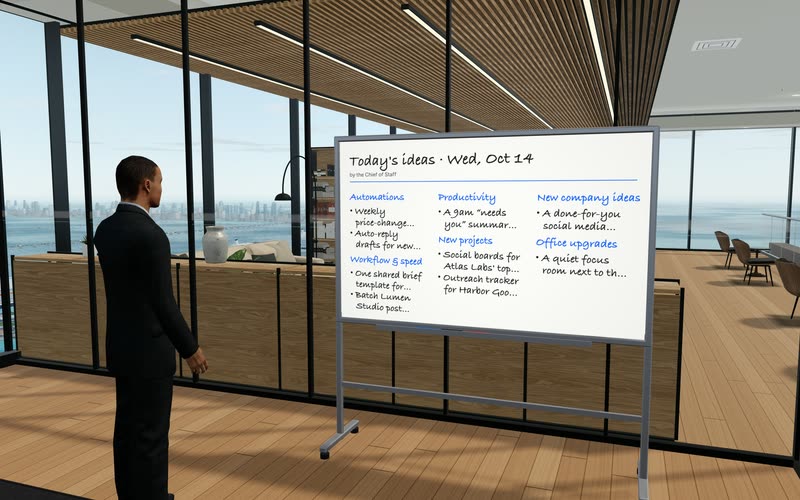
Your Chief of Staff does rounds of the desks and writes ideas for your projects each morning. Save one to your Idea Book, or choose Make it real for a draft you review first.
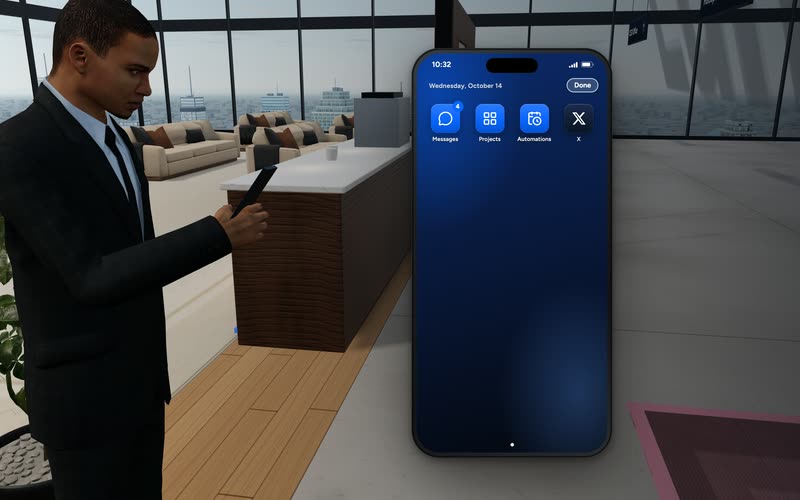
Press P to text your Chief of Staff, for example to give an agent work or pause its automations. Projects jumps you to a project area.
Whiteboard ideas are suggestions from your Chief of Staff agent. Check them before you act; nothing on the board runs until you choose it.
The office opens wherever you use ShiftHands. The agents themselves stay on the Mac that hosts them.
Open the Virtual Environment from the sidebar, or ask Chief of Staff to take you there.
Sign in at shifthands.com on another computer to walk the same office and chat with the same agents.
Use your phone’s browser to check status and open chats. ShiftHands is not a native phone app.
Switch views in Settings, with graphics quality, office music and a battery saver.
Agents need an Apple-silicon Mac (M1 or newer) with macOS 13 or later and 8 GB of RAM. See where ShiftHands agents run.
Office extras
The extras make the office feel like a place, but the reason to use it is still seeing and steering your agents’ work.

The office is the view. Here is what does the work, and where each part lives.
Agents, their tools, browser work and schedules run in the ShiftHands Mac app on your Apple-silicon Mac.
Requests go to the Claude, ChatGPT or API-key provider you connect, under its own terms and usage limits.
Your projects, agents, automations and settings are stored by ShiftHands, so every device shows the same office.
Live traffic between your browser or phone and your Mac passes through an encrypted relay that does not save it.
Walking, desks and rooms show what your agents are doing. They don’t add steps or permissions of their own.
For setup and Mac requirements, see the AI agent for Mac guide.
Yes. The Virtual Environment is included on every plan, Free included. Full details are on ShiftHands pricing.
The 3D office, plus 25 agent messages a day, 1 project, 3 agents and 2 daily automations.
No plan-level caps on projects, agents or automations, and flexible schedules such as every hour. Fair-use caps still apply.
Walking the office costs no AI usage. Agent chats, Chief of Staff requests and automations still use your AI provider’s usage.
It suits people who run several ShiftHands agents and like to see their team in one place.
The office fits if
Look elsewhere if
The agents in your ShiftHands workspace. You can’t bring agents from other tools or runtimes into the 3D office.
No. Your Apple-silicon Mac runs them in the ShiftHands app. The office is a view of that work that you can walk around.
Yes, in your phone’s browser. You can check status and open chats. It is not a native phone app.
Yes. Switch between 3D and 2D in Settings, along with graphics quality, office music and battery saver.
Yes. It is included on Free and Pro. Free still has its limits: 25 agent messages a day, 1 project, 3 agents and 2 daily automations.
No. The 3D view uses no extra AI usage. Chats, Chief of Staff requests and automations still use your AI provider’s usage.
An Apple-silicon Mac (M1 or newer) with macOS 13 or later and 8 GB of RAM, on and awake with ShiftHands open. See where ShiftHands agents run.
Voice mode is optional and needs your own ElevenLabs account. It is not part of ShiftHands plans.
Download the Mac app, connect an AI account you already have, and walk into the office on the Free plan.
Prefer a conventional list view? Explore the AI agent dashboard.
Screens and video come from the ShiftHands demo workspace with made-up names. Features and prices were checked on October 23, 2026 and can change.