

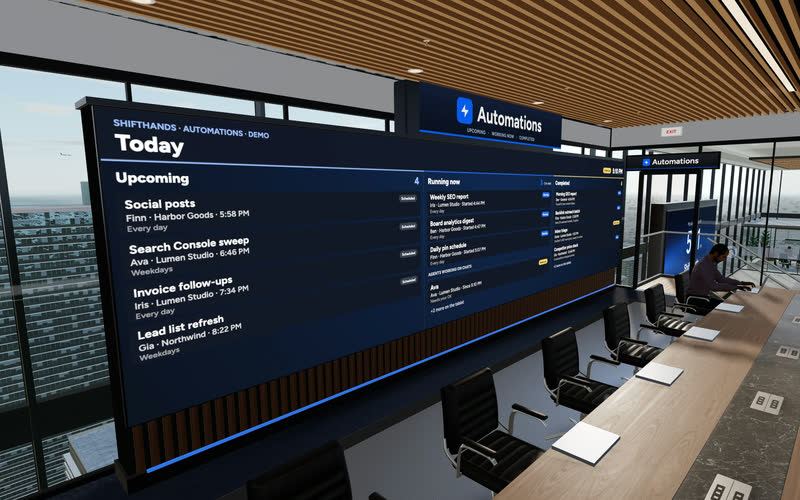
The Automations Wall
A big screen shows today’s Upcoming, Running now and Completed automations. Step up to the tablet to take a closer look at any run.
ShiftHands turns your Apple-silicon Mac into a workspace for AI agents. Organise agents by project, give them work, schedule tasks and follow their progress from your Mac or phone browser. The agents run on your Mac, which needs to stay on with ShiftHands open.
An agent in ShiftHands is a chat with a job. You tell it what you want in plain words, and it works on your Mac using the model and tools you set up for it. Here is the kind of work people hand over.
Agents read and write files in their working folders, so a site builder can edit a project and share a localhost preview you open inside ShiftHands.
Research, inbox and code work each live in their own project and agent, with their own chat history, so nothing gets tangled.
An agent works with the model and connections you choose for it, such as a Claude account via Claude Code or an API key.
Daily inbox triage, a weekly competitor check or an hourly uptime sweep, each reporting back in the agent’s chat.
With Ego Lite installed, agents can browse, click and fill in forms while you watch, and hand you the browser for a sign-in.
Agents do the work their model, tools and settings allow. ShiftHands is not a built-in image, video or slide studio.
See it working
Click through the real app: project chats, live agent status, automations that report back, and a browser you can take over. Everything here runs on your Mac while you watch from the app or a browser.
Recorded in the ShiftHands demo workspace.
Virtual Environment
Every ShiftHands plan, Free included, comes with the Virtual Environment: a 3D office in the app where your agents work at their desks, grouped by project. Walk over, pull up a chair, and watch your crew get it done.

A big screen shows today’s Upcoming, Running now and Completed automations. Step up to the tablet to take a closer look at any run.
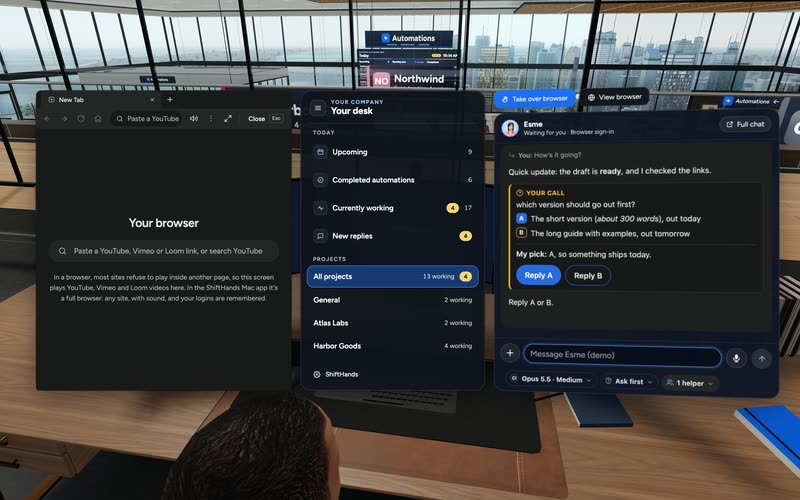
Sit down to see every project and every agent at a glance, and chat with anyone without leaving your chair.
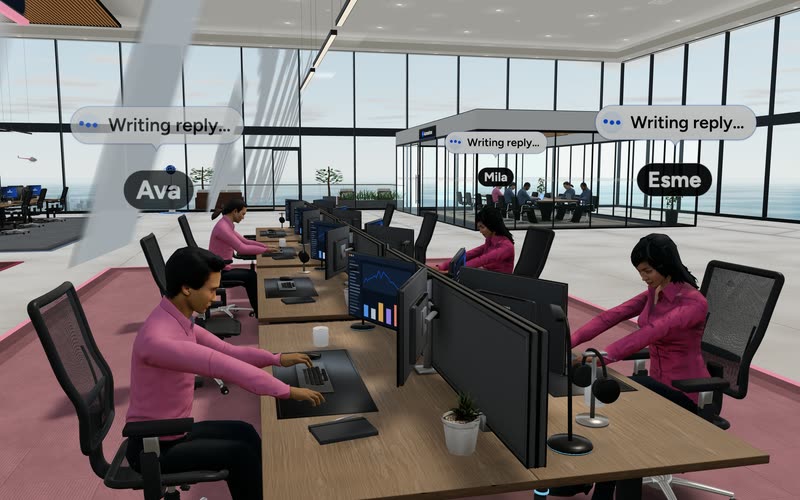
Every agent has a desk in its project area. Agents running an automation head to the Automations room. Walk up to any agent and chat.
Rendered in the ShiftHands demo workspace with made-up names. Open the Virtual Environment from the sidebar or from Chief of Staff in the app. Agents still run on your Mac and use your connected AI accounts.
Projects and teams
Group agents into projects the way you already think about your work. Each one keeps its own chat, history and model, so a research agent and an inbox agent never share a thread.
Building a company with a small team? Our AI agents for startups guide shows how to organise research, product, content and recurring work into a team of agents you supervise from your Mac or phone.
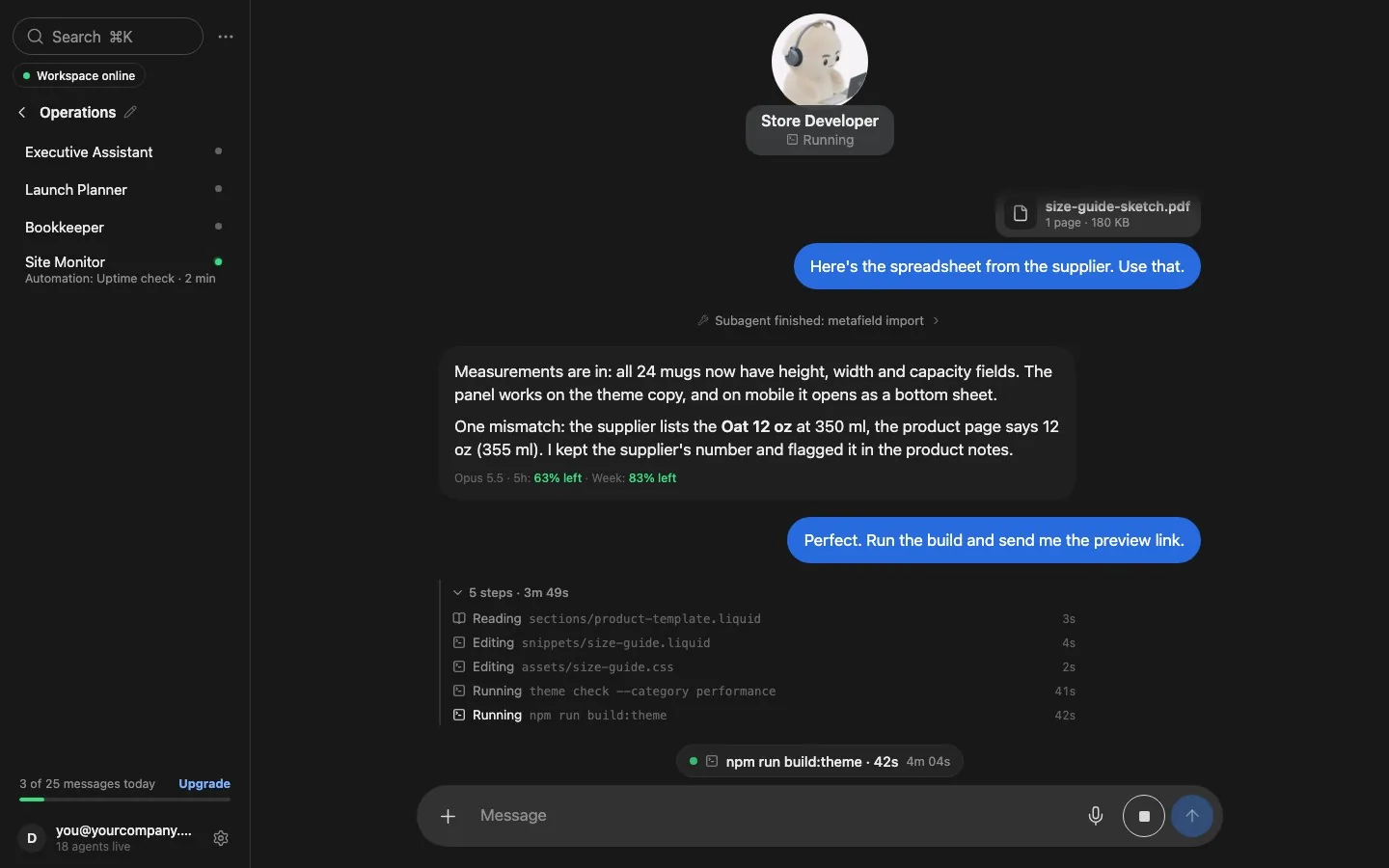
Example of a larger agent team in the ShiftHands demo workspace. Free supports subagent teams of up to 2; larger teams require Pro and remain subject to AI-provider limits and your Mac’s capacity.
Scheduled work
Tell an agent to do something every morning or every hour, and your Mac runs it on time. The automations view lists what is coming up, what is running and what has finished.
Want to automate recurring work? Our guide to scheduling AI agent tasks covers daily and weekly jobs, result cards, plan limits and what happens when your Mac sleeps.
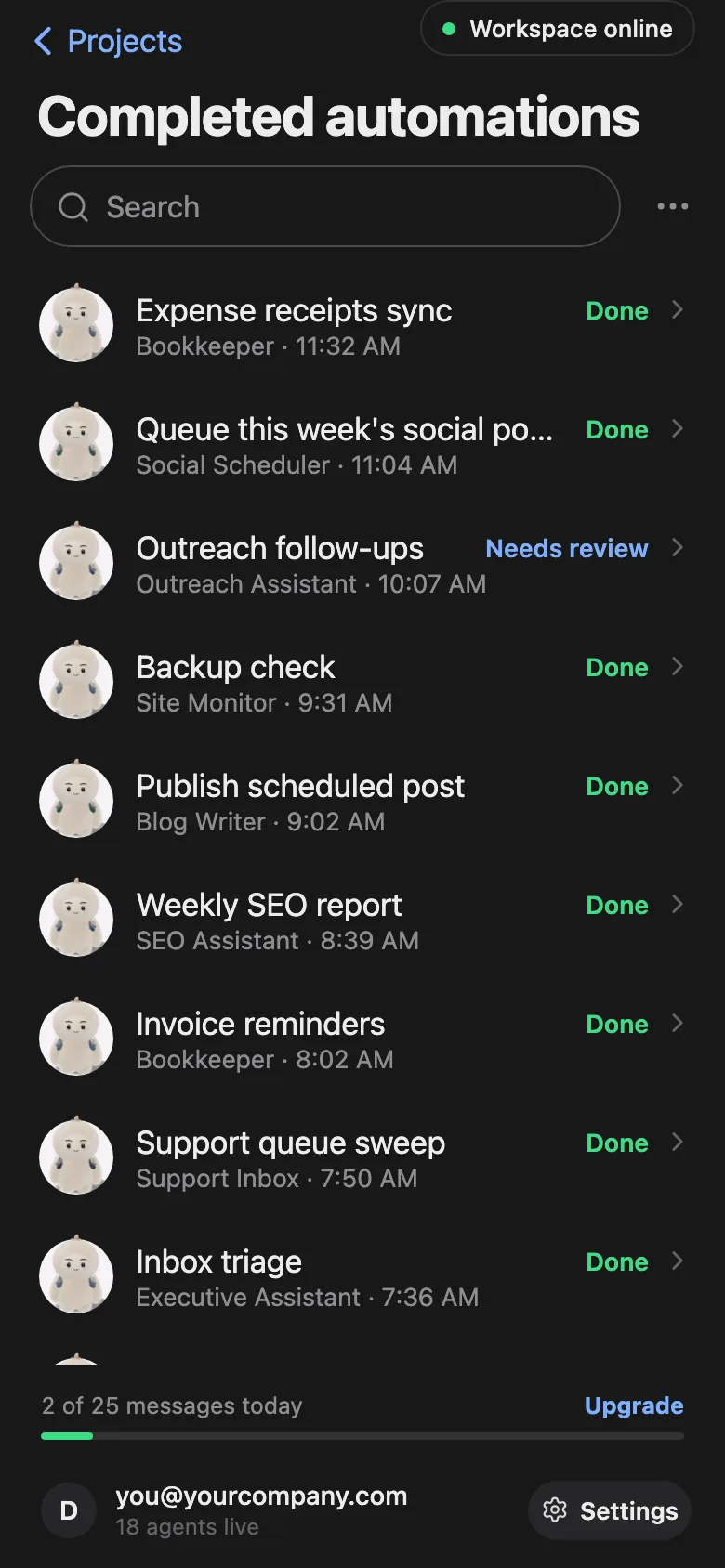
Examples from the ShiftHands demo workspace.
Phone access
Open ShiftHands in your phone’s browser to see what your Mac’s agents are doing. There is nothing to install. ShiftHands is not a native phone app, and the work still runs on your Mac.
Want status, replies and approvals on one screen? See the ShiftHands AI agent dashboard.
Typing away on your task. The chat shows each step as it happens.

Waiting on an approval or a quick hand in the browser.

Resting until the next message or scheduled automation.
Browser and approvals
With Ego Lite installed, agents work in their own browsers on your Mac. Watch them live, take control when a site wants a human, then hand control back.
Some commands are flagged for your decision, depending on each agent’s settings. Not every file change or send is gated, so check the settings for agents that can send or publish.
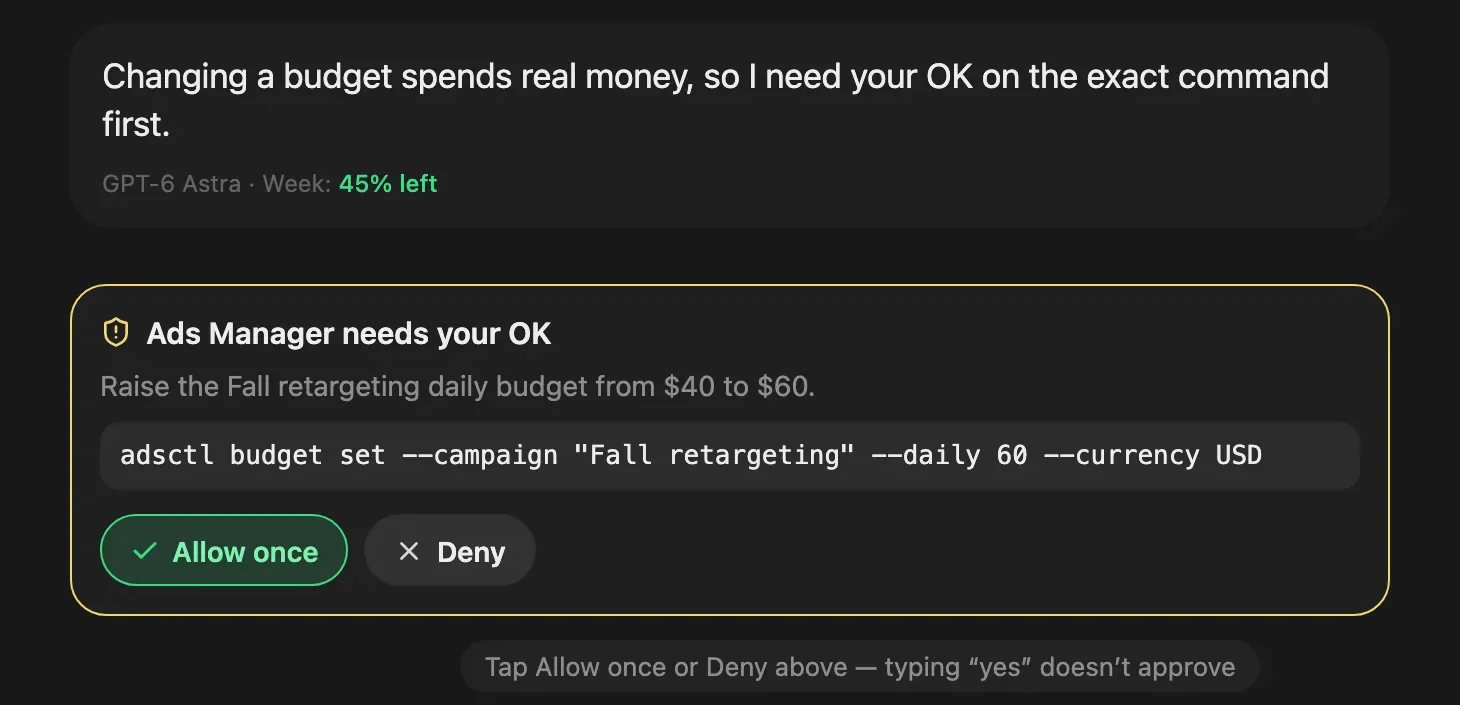
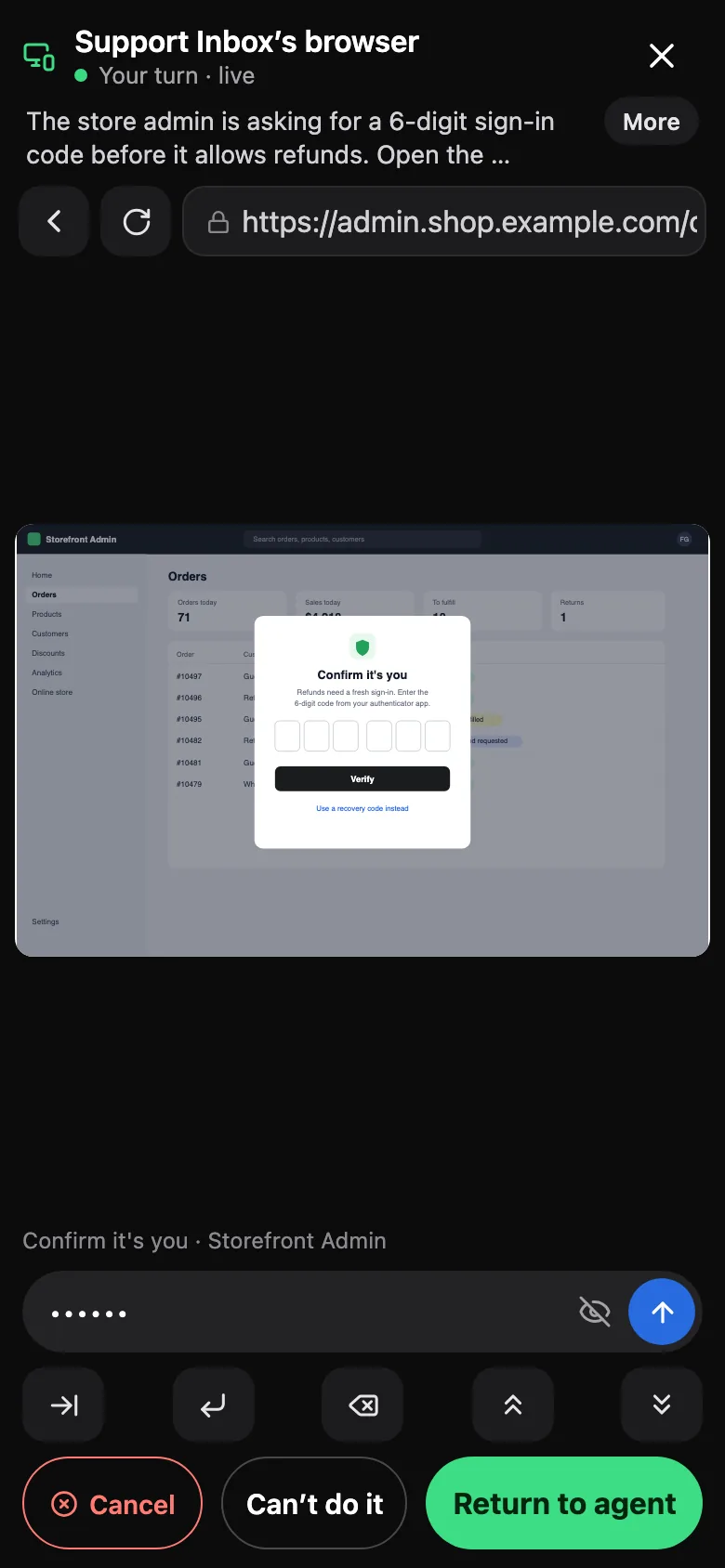
Browser control uses Ego Lite, a free, separate agent browser from Citro Labs with its own terms. It is macOS only for now. Get Ego Lite.
Any Mac with Apple silicon that meets the basics can host your agents. For details, see where ShiftHands agents run.
With 8 GB of RAM or more. Intel Macs can’t host agents yet.
Ventura or any newer version of macOS.
Good for trying things out. Agents work while the Mac is awake; when it sleeps, they pause.
A Mac that stays plugged in runs automations on time, even at night.
The web app works in any browser to monitor and chat, but agents need an Apple-silicon Mac.
Setting up a dedicated computer? Follow our Mac mini AI agent setup guide.
It takes a few minutes, on the Mac that will run your agents.
Get the Apple-silicon app from the download page and drag ShiftHands into Applications.
Create your free account, or sign in with the 6-digit code from a Mac you already use.
Connect Claude or ChatGPT, or add an API key for DeepSeek, GLM, Kimi or Qwen.
Name the project, add an agent and pick its model from the chips under the message box.
Type what you want done. The chat shows each step as the agent works.
ShiftHands runs agents on your Mac, but not everything happens there. Here is where each part goes.
Agents, their tools, browser work and schedules run in the ShiftHands Mac app on the Mac you own.
Chats, agent memory, working files and your Claude Code and Codex sign-ins are kept there. API keys go in the macOS Keychain.
Your email, projects, agents, automations, settings and connected Macs are stored by ShiftHands so every device shows the same workspace.
It carries live traffic between your browser and your Mac over an encrypted connection and does not save it.
They are held on our servers and deleted once your Mac picks them up.
Claude, ChatGPT and API-key providers handle those requests under their own terms. ShiftHands does not run the model locally.
Start free on the Mac you have. Full plan details are on ShiftHands pricing.
25 agent messages a day, 1 project, 3 agents, 2 daily automations and subagent teams of up to 2.
No plan-level caps on projects, agents or automations, and flexible schedules such as every hour. Fair-use caps still apply.
Your AI provider’s usage limits and your Mac’s memory and processing capacity set the practical ceiling.
It suits people who want several agents working on their own Mac and a simple way to keep an eye on them.
ShiftHands fits if
Look elsewhere if
Any Mac with Apple silicon (M1 or newer), macOS 13 or later and 8 GB of RAM or more. See where ShiftHands agents run.
Download the app from the download page, drag it into Applications, then sign in and connect a model.
Yes. A Mac mini that stays plugged in makes a good always-available host. The Mac mini setup guide linked above covers it step by step.
Yes. Sign in with a Claude account via Claude Code or a ChatGPT account via Codex, or add an API key for DeepSeek, GLM, Kimi or Qwen.
No. Agents run on your Mac, but model requests go to the provider you connect, under its terms.
Yes, in your phone’s browser. You can see status, chat and approve flagged commands. It is not a native phone app.
No. Your Mac must be on, awake and signed in with ShiftHands open. Messages you send while it is off wait until it is back.
No. Only commands flagged under an agent’s settings ask you to Allow once or Deny. Not every file change or send is gated.
25 agent messages a day, 1 project, 3 agents and 2 daily automations. Pro is $49.99 a month or $499 a year.
Download the Mac app, connect an AI account you already have, and start on the Free plan.
Check your Mac first: where ShiftHands agents run.
Screens come from the ShiftHands demo workspace with made-up names. Product names belong to their owners. Requirements, features and prices were checked on October 22, 2026 and can change.