

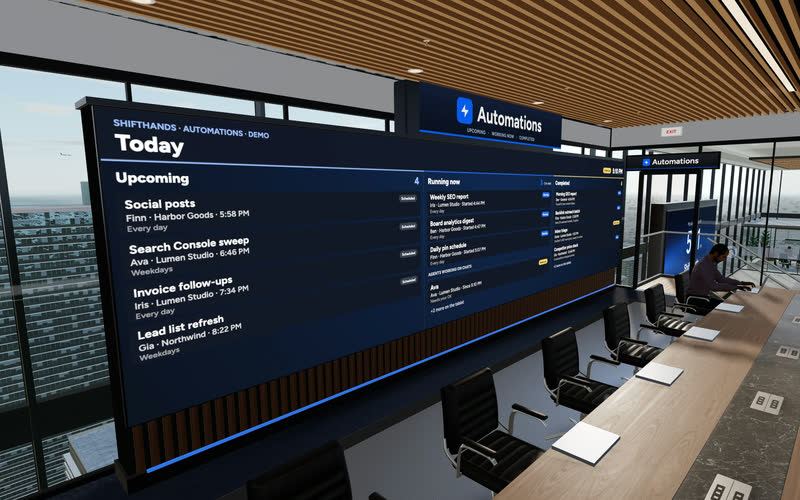
The Automations Wall
A big screen shows today’s Upcoming, Running now and Completed automations. Step up to the tablet to take a closer look at any run.
ShiftHands is an AI agent dashboard for agents running on your Mac. It brings agent status, project chats, scheduled work and flagged-command decisions into one workspace you can supervise from a browser, including your phone.
Click through the real app: projects down the side, a chat per agent, automations that report back, and a browser you can take over. The agents do the typing.
Recorded in the ShiftHands demo workspace.
Virtual Environment
Every ShiftHands plan, Free included, comes with the Virtual Environment: a 3D office in the app where your agents work at their desks, grouped by project. Walk over, pull up a chair, and watch your crew get it done.

A big screen shows today’s Upcoming, Running now and Completed automations. Step up to the tablet to take a closer look at any run.
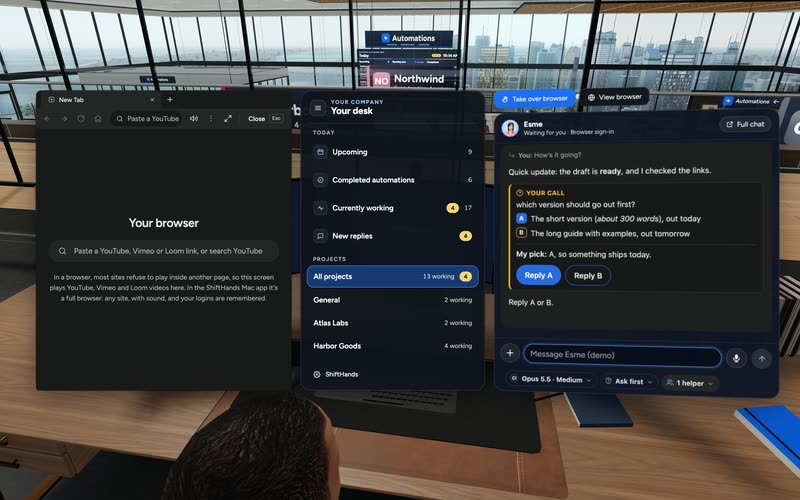
Sit down to see every project and every agent at a glance, and chat with anyone without leaving your chair.

Every agent has a desk in its project area. Agents running an automation head to the Automations room. Walk up to any agent and chat.
Rendered in the ShiftHands demo workspace with made-up names. Open the Virtual Environment from the sidebar or from Chief of Staff in the app. Agents still run on your Mac and use your connected AI accounts.
Prefer seeing your agents as a team working in a shared space? Explore the ShiftHands AI agent office to visit agent desks, follow live activity and review automations in 3D.
Live status
The first job of an AI agent dashboard is telling you where to look. In ShiftHands, every agent shows its current state, so you can find the next action without opening each chat.
Typing away on your task. The chat shows each step as it happens.

Waiting on an approval or a quick hand in the browser.

Resting until the next message or scheduled automation.
Approvals
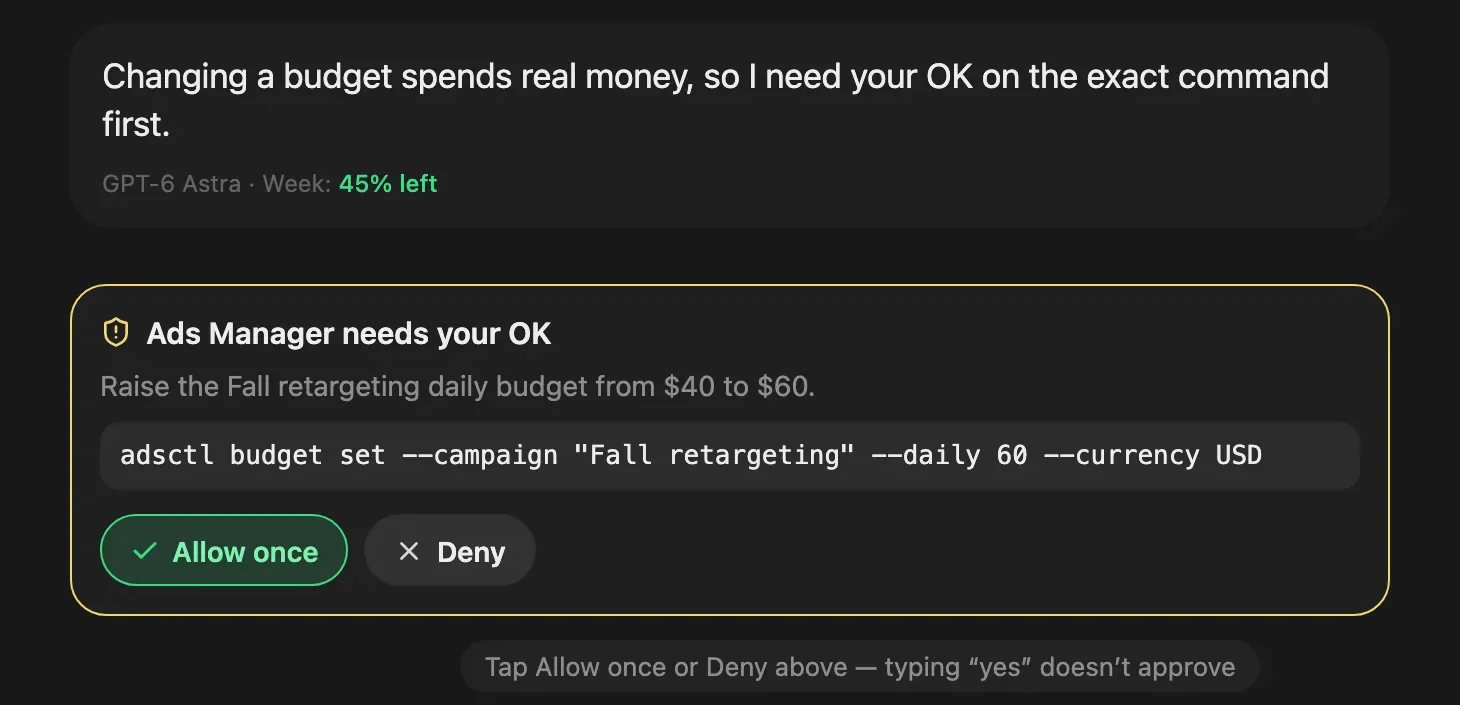
Some agent commands are flagged for your decision. ShiftHands shows them as a plain-English request you can answer from your desk or your phone.
Away from your desk? Our guide to managing AI agents from your phone shows how to check live work, reply to agents and handle flagged approvals without returning to your Mac.
Approval behaviour depends on each agent’s settings. Not every file change or send is gated.
Projects and agents
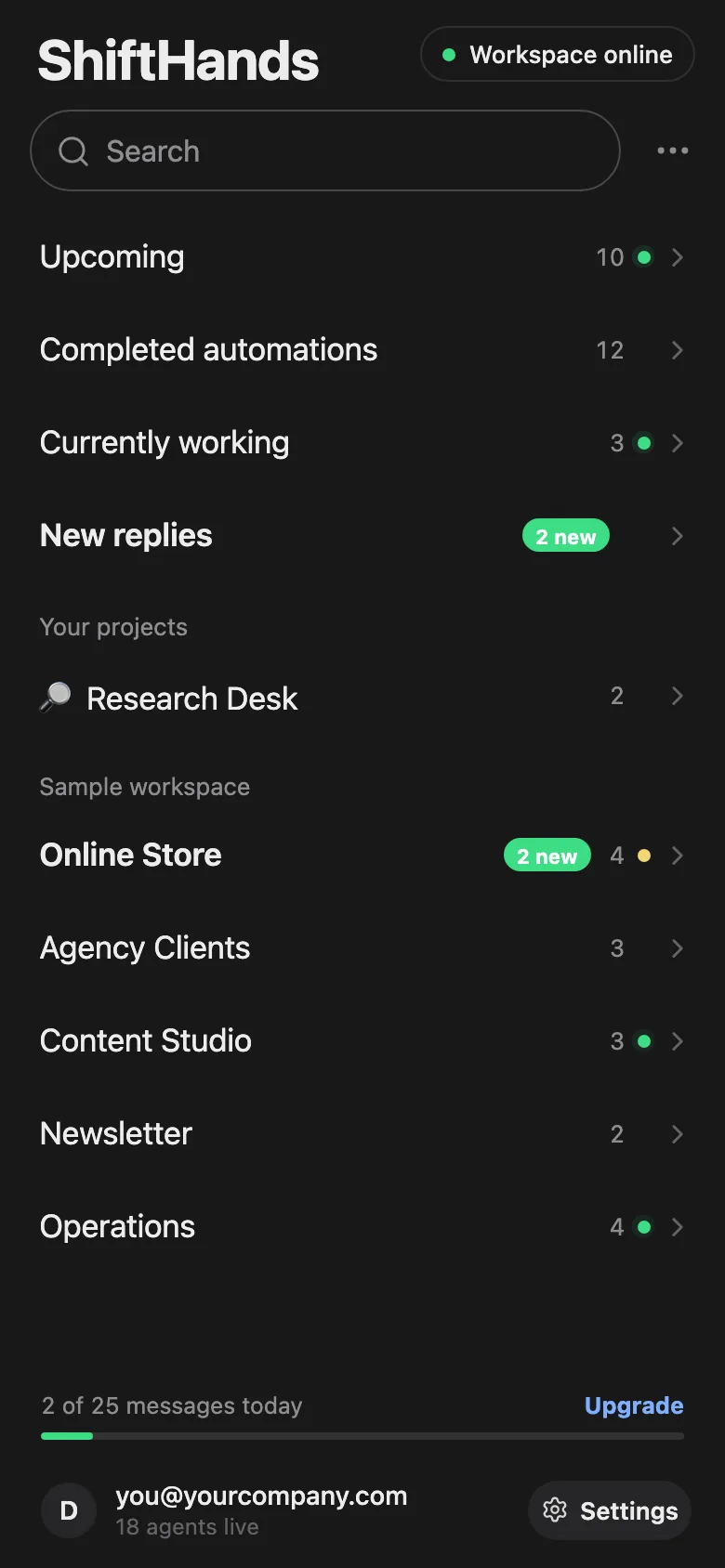
Agents live inside projects, the way you already think about your work. Research never gets tangled up with your inbox.
The dashboard only shows agents you run in ShiftHands. It is not a fleet monitor for agents running elsewhere.
Automations
Tell an agent to do something on a schedule. The automations view shows what is coming up, what is running and what has finished.
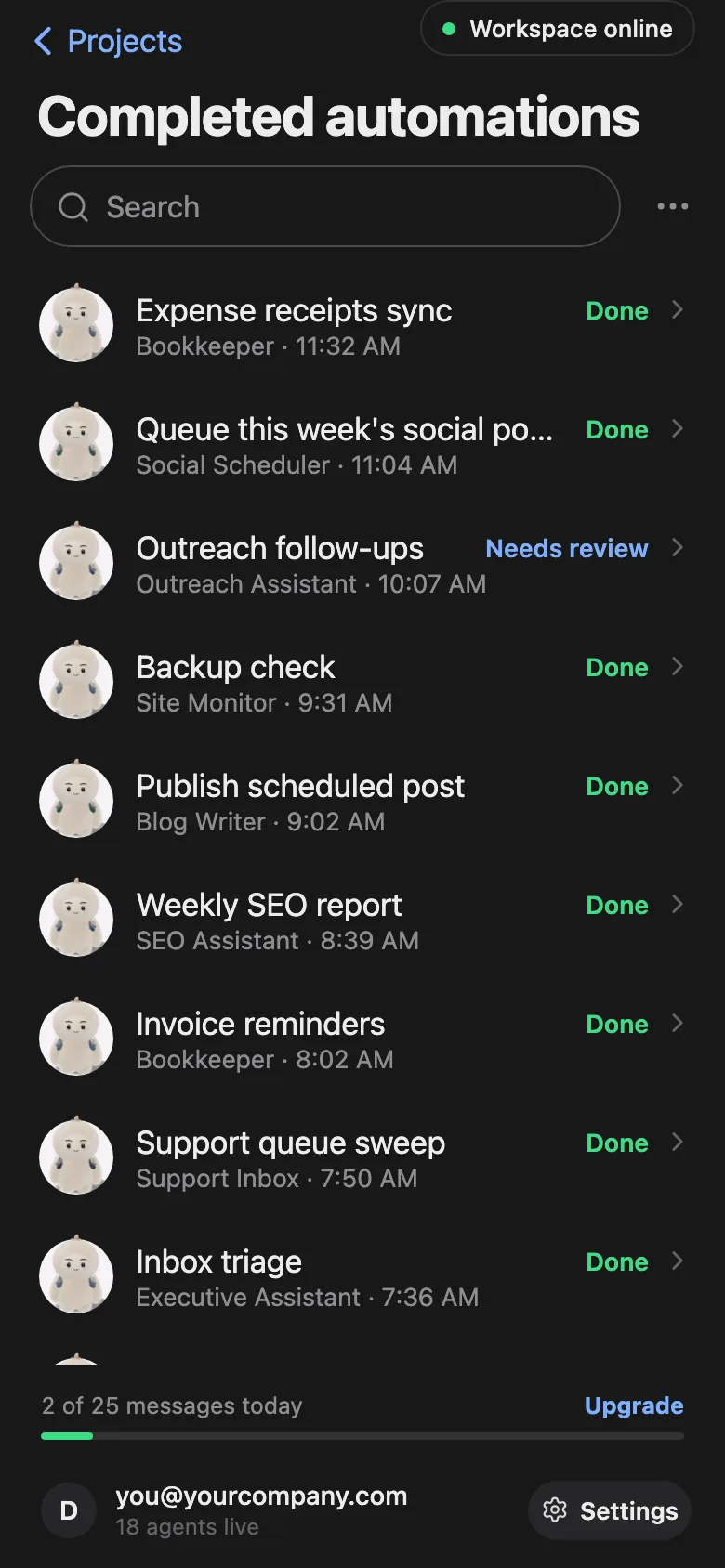
Examples from the ShiftHands demo workspace.
Agent teams
Hand one agent a big job and it can split the work across a team. You watch each teammate’s progress from the same screen.
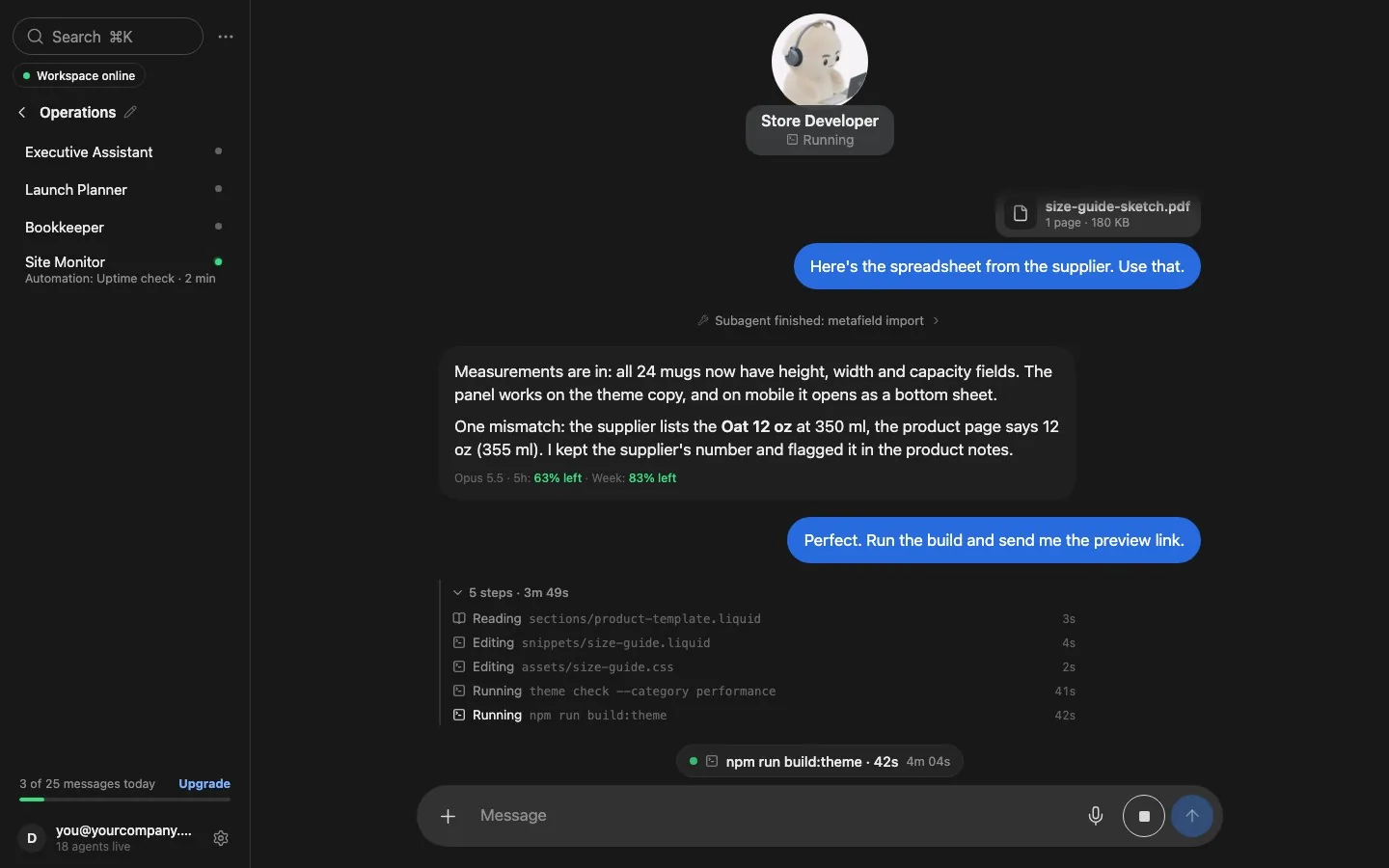
Example of a larger agent team in the ShiftHands demo workspace. Free supports subagent teams of up to 2; larger teams require Pro and remain subject to AI-provider limits and your Mac’s capacity.
Browser and computer use
Agents and their helpers can work in their own browsers on your Mac. You watch them live from ShiftHands and step in when a site wants a human.
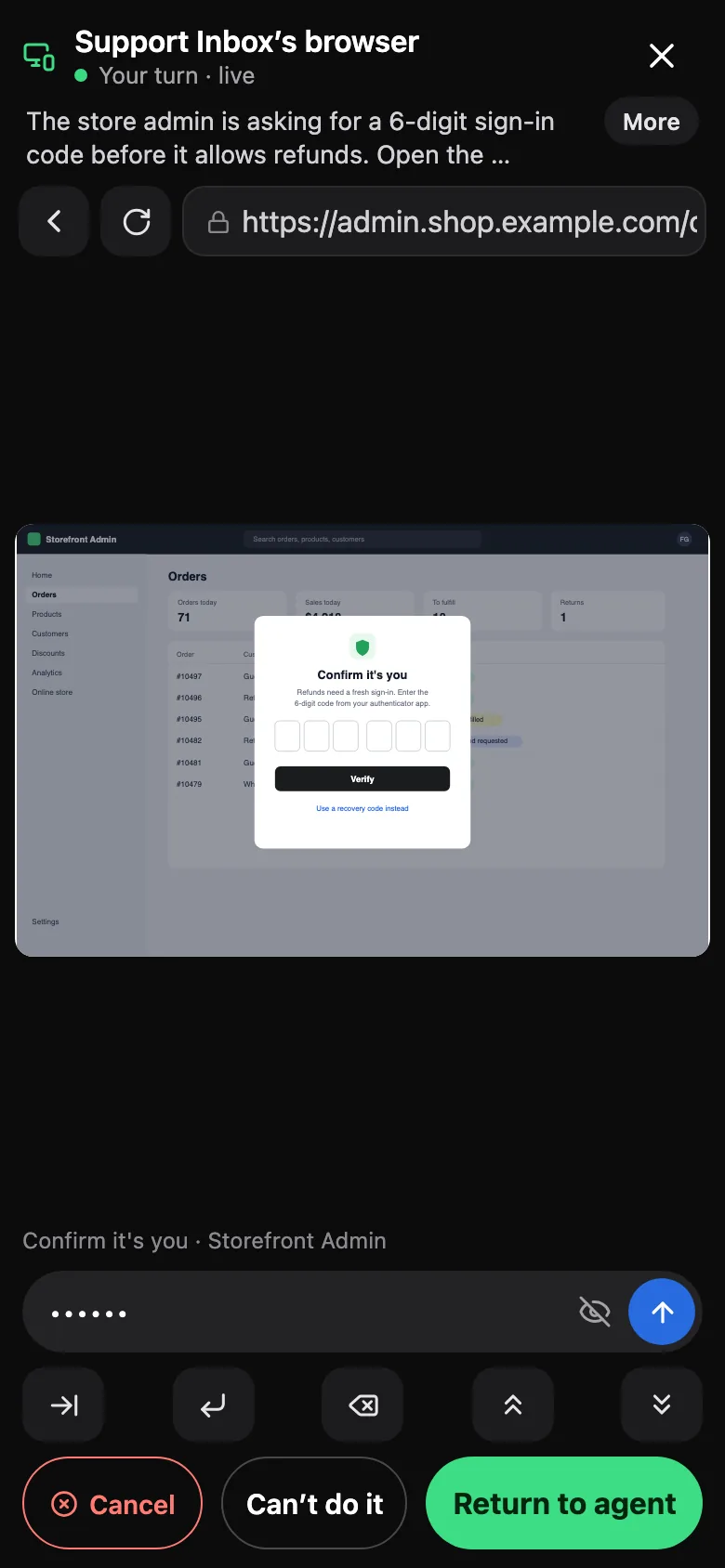
Browser control uses Ego Lite, a free, separate agent browser from Citro Labs with its own terms. It is macOS only for now. Get Ego Lite.
ShiftHands is a workspace for supervising its own agents. It is worth knowing where it stops.
It shows agents you run inside ShiftHands. It does not connect to agents running in other tools, servers or clouds.
It has no LLM call traces, latency charts or token-cost analytics. Teams that need tracing should use a dedicated observability tool.
Agents run on your own Apple-silicon Mac (M1 or newer, macOS 13 or later). The Mac must stay on with ShiftHands open.
Want a dedicated computer for your agents? Our Mac mini AI agent setup guide shows how to run ShiftHands on an Apple-silicon Mac mini and supervise it from your phone.
Want the broader setup instead of a dedicated Mac mini? See our AI agent for Mac guide for projects, agents, automations and supervision on a compatible Mac.
You monitor and chat from any browser, including a phone. ShiftHands is not a native phone app, and the work still runs on the Mac.
Intel Mac and Windows users can join the download waitlist. Read where ShiftHands agents run to choose a Mac.
It suits people running several agents across projects who want one place to see what needs them.
A good fit if
Choose something else if
It shows every agent you run in ShiftHands: its status (Working, Needs you or Idle), its chat and live steps, its projects, scheduled automations, helpers and browser. It does not monitor agents outside ShiftHands.
An Apple-silicon Mac (M1 or newer) with macOS 13 or later and 8 GB of RAM. The Mac stays on with ShiftHands open while agents work. See where ShiftHands agents run.
Yes, as a viewer. The web app works in any browser, including on a phone and on Windows, to monitor and chat. The agents themselves still run on your Mac.
Commands an agent flags ask you to Allow once or Deny. Approval behaviour depends on each agent’s settings, so not every file change or send is gated. Typing “yes” in chat never counts as approval.
The Free plan includes 1 project and 3 agents. Pro has no plan-level caps on projects, agents or automations; fair-use caps, AI-provider limits and your Mac’s capacity still apply.
Yes. Free costs $0 and includes 25 agent messages a day, 1 project, 3 agents and 2 daily automations. Pro is $49.99 a month or $499 a year, and you upgrade inside the Mac app. See ShiftHands pricing.
Observability tools trace LLM calls, latency and costs for apps you build. ShiftHands is a workspace where you run and supervise agents: status, chats, approvals, automations and browser hand-over.
Download the Mac app, sign in with an AI account you already have, and start on the Free plan.
Check the hardware first: where ShiftHands agents run.
Screens come from the ShiftHands demo workspace with made-up names. Product names belong to their owners. Features and prices were checked on October 15, 2026 and can change.