
The Automations Wall
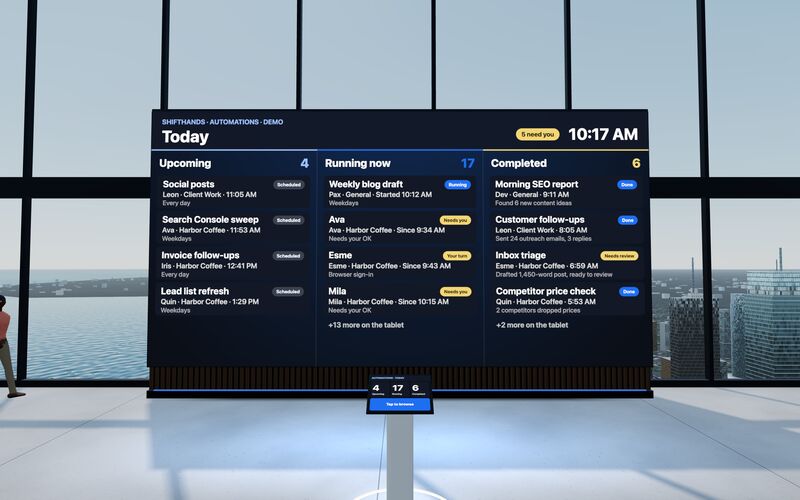
A big screen shows today’s Upcoming, Running now and Completed automations. Step up to the tablet to take a closer look at any run.
The main OpenClaw alternatives are ShiftHands, Hermes Agent, NanoClaw, Manus and Squad.so. They split three ways: agents on your own Mac, a self-hosted gateway or container runtime, or a vendor's cloud. ShiftHands runs agents by project on your Mac, and you supervise them from a browser or phone. This guide covers OpenClaw, the open-source assistant that connects chat apps to AI agents.
Engine disclosure: ShiftHands uses open-source Hermes Agent software by Nous Research under the MIT License. ShiftHands is a separate product that provides its own Mac app, project-based workspace and browser/phone interface. ShiftHands is not affiliated with or endorsed by Nous Research.
See it working
Click through the real app: projects down the side, a chat per agent, automations that report back, and a browser you can take over. The agents do the typing.
Recorded in the ShiftHands demo workspace.
Virtual Environment
Every ShiftHands plan, Free included, comes with the Virtual Environment: a 3D office in the app where your agents work at their desks, grouped by project. Walk over, pull up a chair, and watch your crew get it done.
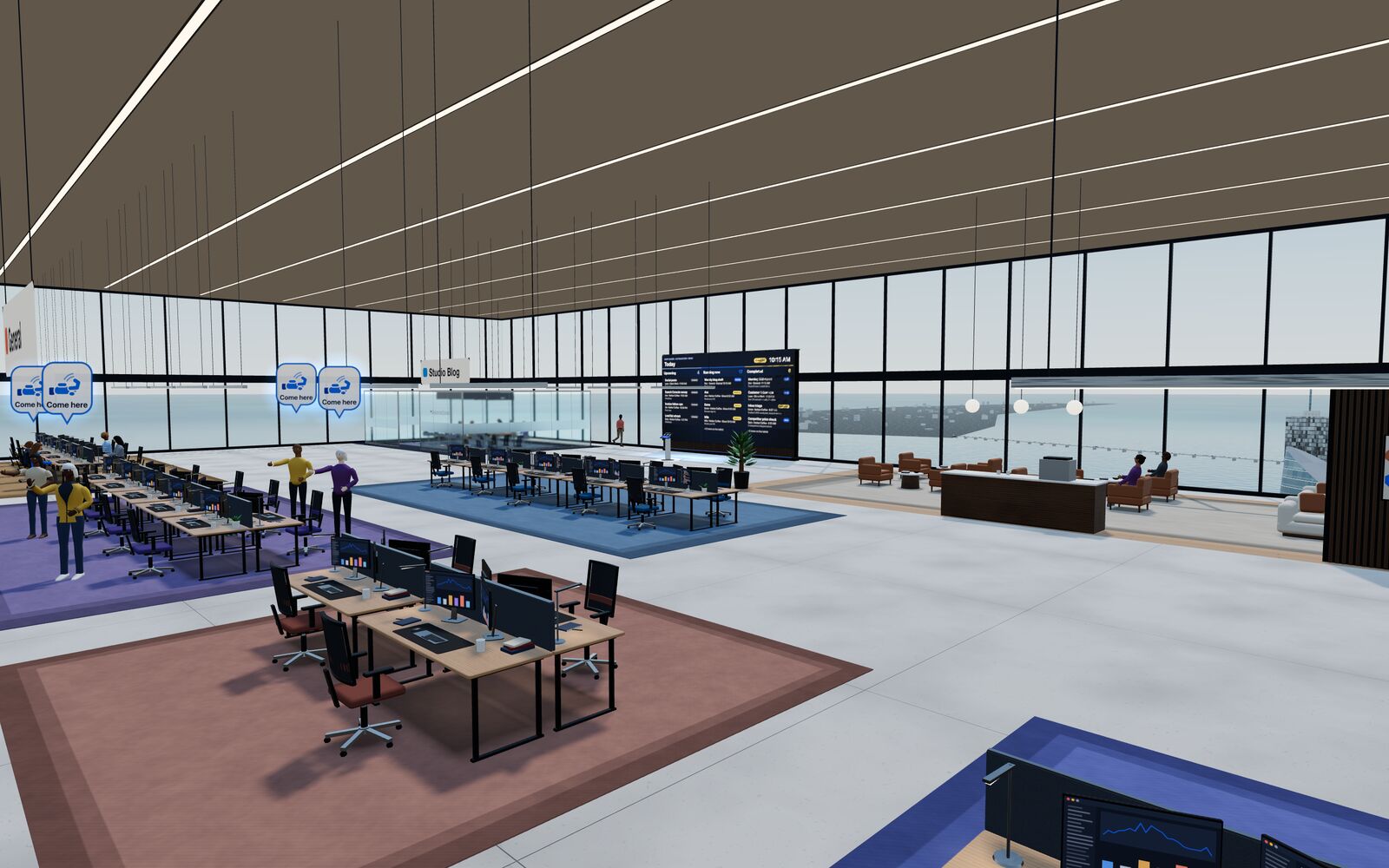
A big screen shows today’s Upcoming, Running now and Completed automations. Step up to the tablet to take a closer look at any run.
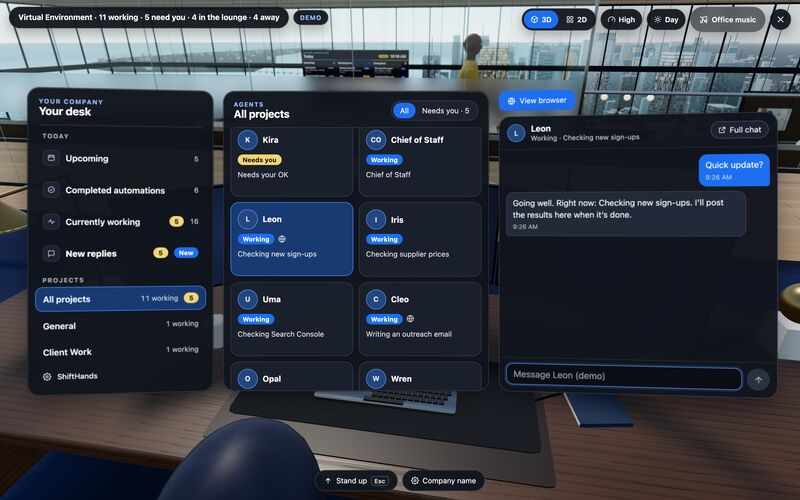
Sit down to see every project and every agent at a glance, and chat with anyone without leaving your chair.
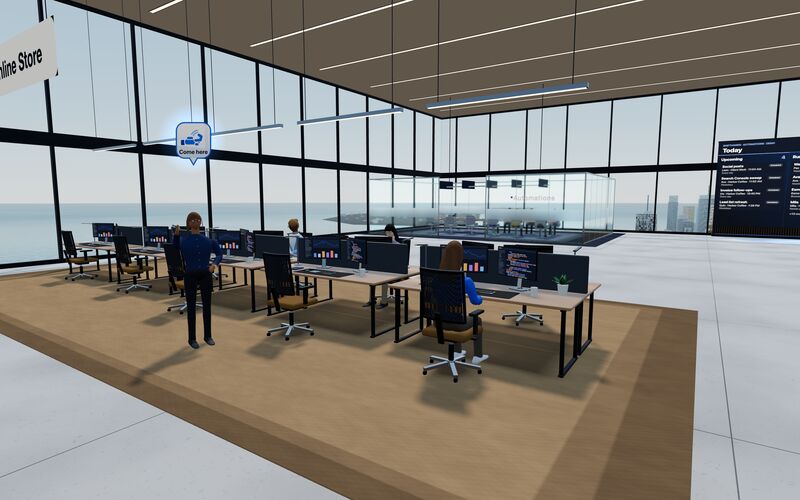
Every agent has a desk in its project area. Agents running an automation head to the Automations room. Walk up to any agent and chat.
Rendered in the ShiftHands demo workspace with made-up names. Open the Virtual Environment from the sidebar or from Chief of Staff in the app. Agents still run on your Mac and use your connected AI accounts.
The product you are replacing
OpenClaw describes itself as "an open-source AI assistant that runs on your own hardware and meets you in every chat app you already use." One Gateway process connects your chat apps to AI agents, and you choose the model.
Sources: OpenClaw site, documentation, platforms, security docs, OpenClaw Enterprise announcement, read October 12, 2026.
Each option suits a different way of leaving OpenClaw, and each card names its main trade-off. The list is not an overall ranking; ShiftHands is our product.
A packaged Mac workspace for people who want project chats and browser supervision instead of configuring a messaging gateway. ShiftHands uses Hermes Agent technology within its own Mac-based workspace. This does not mean it exposes every feature of standalone Hermes Agent.
Trade-off No WhatsApp, Telegram or Slack channels. It needs an Apple-silicon Mac that stays on with ShiftHands open, and browser control uses the separate free Ego Lite app.
Source: ShiftHands' own download page and pricing, October 12, 2026.
The closest broad, open-source alternative for buyers who still want infrastructure flexibility, a messaging gateway and extensible agent capabilities. Hermes Agent is also the open-source software incorporated into ShiftHands. Standalone Hermes gives users direct access to its own runtime, messaging gateway and configuration options.
Trade-off You still install, configure and maintain it yourself, much as with OpenClaw.
Sources: Hermes Agent and platform support, checked October 12, 2026. More options: Hermes Agent alternatives.
For buyers who want a smaller codebase and container-based agent isolation while keeping messaging workflows. Its project describes it as a lightweight alternative to OpenClaw.
Trade-off Requires Docker, Node.js 22+ and initial setup. Claude Code is used for customisation, debugging and channel setup. Container isolation limits agent access but does not guarantee safety.
Source: NanoClaw GitHub repository, checked October 12, 2026.
Hosted execution for people who want completed tasks rather than an agent runtime to operate. Manus plans and finishes work such as research, slides and websites in its own cloud.
Trade-off Usage is metered in credits, and the work runs on Manus's infrastructure rather than yours.
Sources: Manus pricing and Manus desktop, checked October 12, 2026.
A managed workspace with connected apps, named AI teammates and business-operations workflows.
Trade-off A monthly fee on top of your AI plan, and the work runs on Squad's cloud computer.
Source: Squad.so pricing, checked October 12, 2026. Full head-to-head: ShiftHands vs Squad.so.
| Product | Where agents run | Interface and remote access | Memory and agent teams | Scheduling | Approvals and controls | Pricing |
|---|---|---|---|---|---|---|
| OpenClaw | Your computer or server | Chat apps, CLI, browser Control UI, desktop and mobile apps | Persistent memory, multi-agent routing | Cron jobs and webhooks | Loopback by default, sender pairing, allowlists, optional sandboxing | Free, open source; no paid tier |
| ShiftHands | Your Apple-silicon Mac | Mac app plus any browser, including a phone | Agents by project; subagent teams | Automations post a result card; Free lists 2 daily | Flagged commands: Allow once or Deny, from desk or phone | Free; Pro $49.99/month (checkout not live) |
| Hermes Agent | Your computer, a server or a container | CLI, Hermes Desktop, chat apps | Persistent memory, self-written skills, subagents | Cron jobs | Command approval modes; sandbox backends | Free, open source; model costs separate |
| NanoClaw | Docker containers on your machine | Slack, Telegram, Discord, WhatsApp, iMessage, CLI | Memory per agent group; agent teammates in Slack | Scheduled tasks | Container isolation, credential gateway | Free, open source; model costs separate |
| Manus | Manus's cloud; desktop app can use local files | Web, desktop and mobile apps | Not verified | 20 scheduled tasks per plan | Not verified | $20, $40 or $200/month, credit-based |
| Squad.so | Squad's cloud computer | Web dashboard and connected apps | Unlimited named AI teammates, shared docs | Scheduled tasks | One-tap approvals and daily caps | $99/month plus your AI plan |
"Not verified" means the linked first-party material did not establish that capability on October 12, 2026. It does not mean the feature is unavailable.
ShiftHands fits when you want a project workspace for agents on your Mac, rather than a messaging gateway you configure and host.
ShiftHands
To see what your Mac needs, read where ShiftHands agents run.
OpenClaw
OpenClaw may be the better fit if you want to control the agent gateway and connect your assistant directly to messaging apps. It supports self-hosting on your own computer or server, multi-agent routing, persistent memory, scheduled work, plugins and extensive channel integrations.
Stay with OpenClaw if WhatsApp, Telegram, Discord, Slack or other messaging channels are central to your workflow, or if you need its broader platform and hosting flexibility. ShiftHands does not currently replace that messaging gateway, and its agents require an Apple-silicon Mac running the ShiftHands app.
With OpenClaw, Hermes Agent and NanoClaw you install, update and secure the runtime. ShiftHands packages it in a Mac app. Manus and Squad.so operate it for you.
Your own Mac (ShiftHands), your computer or server (OpenClaw, Hermes Agent, NanoClaw), or a vendor's cloud (Manus, Squad.so).
If you talk to your assistant in WhatsApp or Telegram, look at OpenClaw, Hermes Agent and NanoClaw. ShiftHands works through its Mac app and a browser.
ShiftHands needs an Apple-silicon Mac. NanoClaw needs Docker. OpenClaw and Hermes Agent also run on Linux and Windows.
Compare what each tool can reach: application allowlists, containers, or approval prompts you answer from a phone.
OpenClaw, Hermes Agent, NanoClaw and ShiftHands use your own model account or key. Manus sells credits, and Squad.so charges a fee on top of your AI plan.
Check how each tool stores what it learns, and whether memory is shared across channels or kept per agent.
Add any app fee, model usage, credits and the server or Mac that has to stay on. Free software does not mean free model usage.
Yes. OpenClaw is free, MIT-licensed software, and there is no paid OpenClaw tier. You still pay for the AI models you use and any server you run it on.
Yes. ShiftHands runs agents on your own Apple-silicon Mac. Hermes Agent and NanoClaw run on your own computer too. Manus and Squad.so run in their own cloud.
ShiftHands is Mac-only and needs Apple silicon. Hermes Agent has desktop apps for macOS and Windows. NanoClaw runs on macOS, Linux, or Windows through WSL2 with Docker.
ShiftHands works from any phone browser. Hermes Agent and NanoClaw reach you through chat apps, and Manus has mobile apps. Squad.so is managed from its web dashboard.
Hermes Agent and NanoClaw both connect to WhatsApp and Telegram. ShiftHands does not offer messaging-app channels.
Not automatically. OpenClaw offers loopback binding, sender pairing, allowlists, optional sandboxing and a security audit. NanoClaw uses container isolation. ShiftHands lets you allow or deny flagged commands, depending on agent settings; not every action is approval-gated. Security depends on configuration and what agents can access.
You get a Mac app with agents organised by project and a browser interface for supervising them. You give up the messaging gateway and Linux, Windows or server hosting, and you need an Apple-silicon Mac that stays on.
Product names belong to their owners. ShiftHands is not affiliated with or endorsed by the OpenClaw Foundation, Nous Research, NanoClaw, Manus or Squad. Facts and prices were checked on each product's own site on October 12, 2026 and can change.