

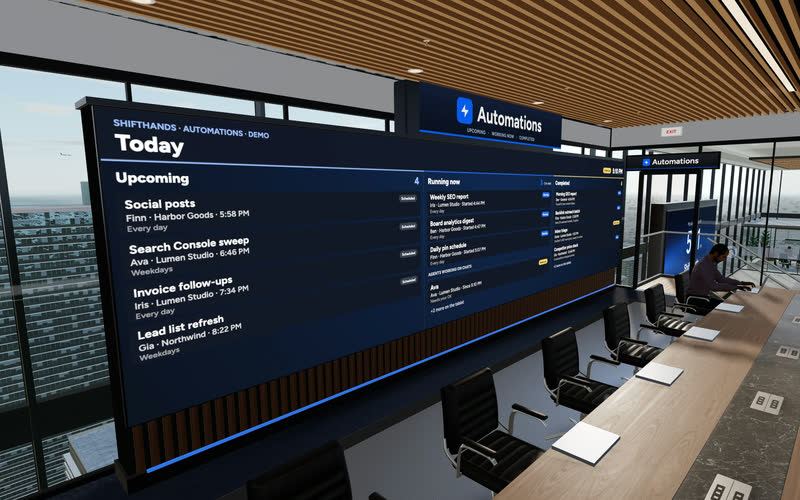
The Automations Wall
A big screen shows today’s Upcoming, Running now and Completed automations. Step up to the tablet to take a closer look at any run.
ZeroClaw and OpenClaw both connect AI models to messaging channels, tools and scheduled work on infrastructure you control. ZeroClaw uses a compact Rust runtime with configurable security policies, hardware support and a built-in dashboard. OpenClaw uses a Node-based Gateway with extensive messaging integrations, agent features and companion-device options. The better choice depends on the hardware you run, the channels you need and how much you want to configure.
This comparison is published by ShiftHands, which offers a separate Mac-hosted AI agent workspace. We compared documented product capabilities, not independent hands-on performance tests. ShiftHands is not affiliated with ZeroClaw Labs or the OpenClaw Foundation.
ZeroClaw
by ZeroClaw Labs
Self-hosted agent runtime in one Rust binary
OpenClaw
by the OpenClaw Foundation
Self-hosted agent Gateway for chat apps
The tour below shows ShiftHands, the publisher of this comparison. It is not a demonstration of ZeroClaw or OpenClaw.
See it working
Click through the real app: projects down the side, a chat per agent, automations that report back, and a browser you can take over. The agents do the typing.
Recorded in the ShiftHands demo workspace.
Virtual Environment
Every ShiftHands plan, Free included, comes with the Virtual Environment: a 3D office in the app where your agents work at their desks, grouped by project. Walk over, pull up a chair, and watch your crew get it done.

A big screen shows today’s Upcoming, Running now and Completed automations. Step up to the tablet to take a closer look at any run.
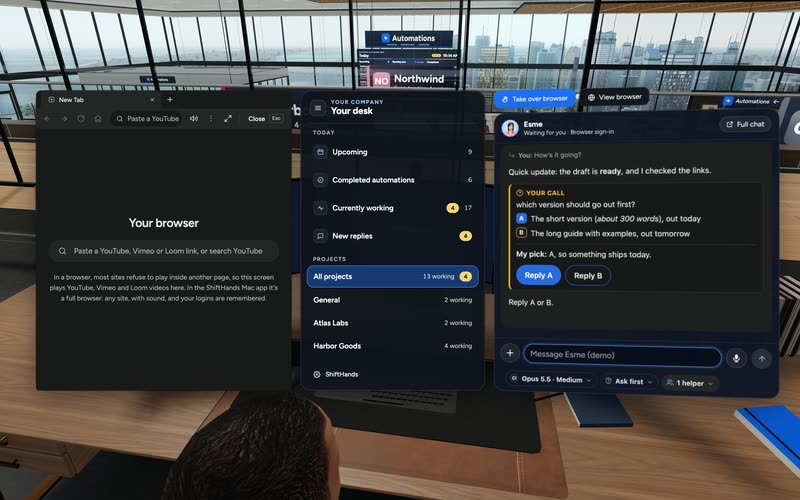
Sit down to see every project and every agent at a glance, and chat with anyone without leaving your chair.
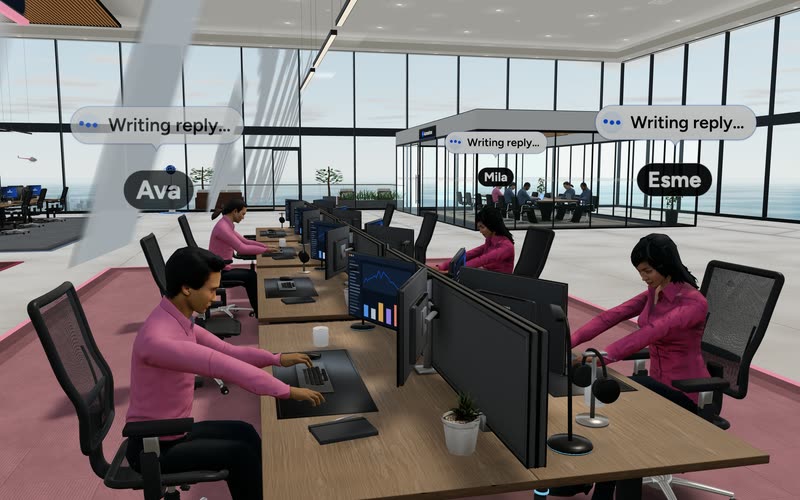
Every agent has a desk in its project area. Agents running an automation head to the Automations room. Walk up to any agent and chat.
Rendered in the ShiftHands demo workspace with made-up names. Open the Virtual Environment from the sidebar or from Chief of Staff in the app. Agents still run on your Mac and use your connected AI accounts.
Both are free, self-hosted agent platforms. The rows below compare what each project documents, so you can see where the designs differ. There is no overall winner.
| Dimension | ZeroClaw | OpenClaw |
|---|---|---|
| Product type | Self-hosted agent runtime | Self-hosted agent Gateway |
| Implementation | Rust native binary | TypeScript/Node |
| Main interface | CLI, web dashboard and supported clients | Chat apps, Control UI and companion apps |
| Deployment | Computer, server or supported embedded hardware | Computer or server, with companion-device support |
| Installation | Installer, Homebrew, Docker and platform builds | Installer, package manager, desktop and server deployment options |
| Configuration | TOML configuration and guided quickstart | Onboarding, Gateway settings, model and channel configuration |
| Messaging channels | 30+ documented channel adapters | Wide range of bundled and plugin channels |
| AI models | Pluggable providers, including local runtimes | Configurable providers, including local runtimes |
| Agent organisation | Configured agents, sessions and policies | Multiple agents, sessions and subagents |
| Tools | Shell, browser, HTTP, MCP and hardware interfaces | Shell, browser, skills, plugins and connected tools |
| Memory | SQLite and embedding-backed memory | Persistent sessions and configurable memory capabilities |
| Scheduling | Cron and event-triggered SOPs | Native automations, recurring jobs and event triggers |
| Web dashboard | Chat, memory, configuration, cron and tool inspection | Control UI for agents, sessions and Gateway operations |
| Security | Supervised autonomy, workspace boundaries, command policies and optional sandboxing | Sender pairing, allowlists, execution approvals and optional sandboxing |
| Licence | MIT OR Apache-2.0 | MIT |
| Software cost | Free | Free |
| Best fit | Compact, configurable runtime and hardware-oriented deployments | Messaging-centred assistants and companion-device workflows |
Read from each project's own documentation on 20 November 2026. Features change quickly in both projects, so check the current docs before you commit.
Both projects give an AI model a home on your own hardware, with channels to reach it and tools to act. They differ in how that home is built and what each team prioritises.
ZeroClaw
A single Rust binary is the agent runtime. Channels, a gateway, the agent loop, security policy and an SOP engine run inside it.
OpenClaw
A Gateway process on Node connects chat apps to one or more agents, with a Control UI and optional companion apps around it.
ZeroClaw
ZeroClaw lists four opinions in order: you own it, security-first with escape hatches, minimal, and provider-agnostic.
OpenClaw
OpenClaw centres on an assistant you reach from the chat apps you already use, with many integrations and device options.
ZeroClaw
Desktops and servers on macOS, Linux, Windows and FreeBSD, plus small boards such as a Raspberry Pi.
OpenClaw
macOS, Linux or Windows, with desktop companions and iOS or Android devices that connect as nodes.
Neither project is just a chatbot: both run tools, keep memory and work on a schedule.
Both offer quick installers, but neither is install-and-forget. Each still needs model credentials, channel setup and tool permissions.
ZeroClaw
OpenClaw
Both need ongoing maintenance: updates, credential rotation and checks that channels are still connected.
Both reach you through chat apps and let you choose the model. Memory works differently in each.
ZeroClaw
OpenClaw
Some integrations on both sides depend on plugins, account authentication or the chat platform's own restrictions.
Both agents can run shell commands, browse and call APIs. Their hardware stories are different.
ZeroClaw
OpenClaw
These are different hardware models: ZeroClaw drives boards and peripherals, while OpenClaw extends to phones and desktops as nodes.
Both do far more than answer messages. Each can run work on a schedule or when something happens.
ZeroClaw
OpenClaw
If scheduled work is your main reason to run an agent, see our guide to scheduling AI agent tasks.
Both give an agent real access to your machine, so both put controls around it. The control models differ, and neither is a universal winner.
ZeroClaw
OpenClaw
Neither guarantees that every action gets a human approval; low-risk work can run without one. Rust alone doesn't make ZeroClaw safer. How you configure permissions matters more than the language.
This is where comparisons often overreach. We haven't benchmarked either runtime, so here is what each project documents.
ZeroClaw
OpenClaw
Cold-start time isn't the same as response time. Most of an agent's wait comes from the model provider, so a faster runtime doesn't mean faster or better task results.
Both are free to install. What you pay for is model usage, the hardware or server, and your time keeping it running.
ZeroClaw
Software $0 / MIT OR Apache-2.0
OpenClaw
Software $0 / MIT
Free software doesn't make an agent free to operate. Budget for model usage, hosting and maintenance on either.
Trade-off It is pre-1.0 (v0.9.0), so check change logs and compatibility before you rely on it.
Want to evaluate ZeroClaw on its own? Our ZeroClaw review covers installation, runtime performance claims, security controls, maintenance requirements and user feedback in more detail.
Trade-off It needs a supported Node runtime and Gateway upkeep on the host.
ZeroClaw is an agent runtime in one Rust binary. OpenClaw is a Node-based Gateway that connects chat apps to agents, with a Control UI and companion apps. Both are self-hosted and free.
ZeroClaw is designed to be minimal and ships without a separate runtime, while OpenClaw needs Node. ZeroClaw's site says it uses less memory than a browser tab, but that's a vendor claim we haven't tested.
ZeroClaw advertises a cold start under 20 ms. Cold start isn't agent response time, which mostly depends on the model provider. No matched benchmark of the two is available to us.
Both have one-line installers. ZeroClaw adds Homebrew and Docker; OpenClaw adds desktop companion apps. Either way you still configure providers, channels and permissions.
Yes. ZeroClaw documents 30+ channels, including WhatsApp, Telegram and Discord. Some channels need account setup or have platform limits.
Both are provider-agnostic. ZeroClaw supports dozens of hosted and local providers, such as Anthropic, OpenAI and Ollama. OpenClaw also works with many providers, including local runtimes.
Yes. Both run on your own computer or server, and both can use local models. You pay nothing for the software itself.
ZeroClaw documents Raspberry Pi support, including its GPIO pins. OpenClaw targets macOS, Linux and Windows hosts; check its docs for your specific board before you plan on it.
Yes. ZeroClaw's gateway includes a web dashboard for chat, memory browsing, config editing, cron management and tool inspection. Older articles calling it CLI-only are out of date.
Yes. Both have shell and browser tools. Each puts approvals or policies around risky commands.
They use different models. ZeroClaw has supervised autonomy, command policies, OS sandboxes and optional tool receipts. OpenClaw has sender pairing, allowlists, execution approvals and optional sandboxing. Your configuration matters most.
Yes. ZeroClaw has cron jobs and event-triggered SOPs. OpenClaw has built-in automations with recurring jobs and webhook or Gmail triggers.
Both are free, open-source software. You still pay for model usage, hardware or hosting, and the time to maintain it.
ZeroClaw is dual-licensed MIT OR Apache-2.0, so you can choose either. OpenClaw is MIT-licensed.
Its latest release is v0.9.0, from 12 November 2026. Pre-1.0 versioning isn't proof of instability, but check compatibility, security needs and change logs before a production rollout.
Yes, through chat apps for both. OpenClaw also has iOS and Android companion apps. ZeroClaw's web dashboard can be reached from a browser if you expose its gateway securely.
Pick OpenClaw if your team lives in chat apps like Slack or Teams and wants companion apps. Pick ZeroClaw if you want a compact, policy-driven runtime. Both need someone comfortable maintaining them.
See our OpenClaw alternatives for other options. If you'd rather not run a runtime, ShiftHands is a packaged agent workspace for your own Mac.