

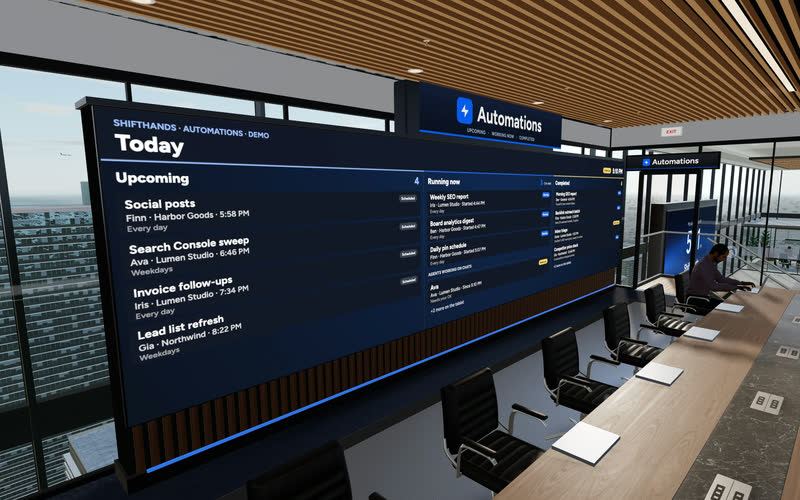
The Automations Wall
A big screen shows today’s Upcoming, Running now and Completed automations. Step up to the tablet to take a closer look at any run.
ShiftHands lets you use an AI agent for social media research and content preparation on your own Mac. Give it topics to investigate, ask for posts tailored to different platforms, and schedule recurring drafts that come back to its project chat. Review the work before deciding what to publish.
See it working
This is the real ShiftHands app with demo data. Open a chat to see an agent working through a task, or the Automations tab for scheduled runs and their result cards. No posts were published in this demo.
Recorded in the ShiftHands demo workspace.
Virtual Environment
Every ShiftHands plan, Free included, comes with the Virtual Environment: a 3D office in the app where your agents work at their desks, grouped by project. Walk over, pull up a chair, and watch your crew get it done.

A big screen shows today’s Upcoming, Running now and Completed automations. Step up to the tablet to take a closer look at any run.
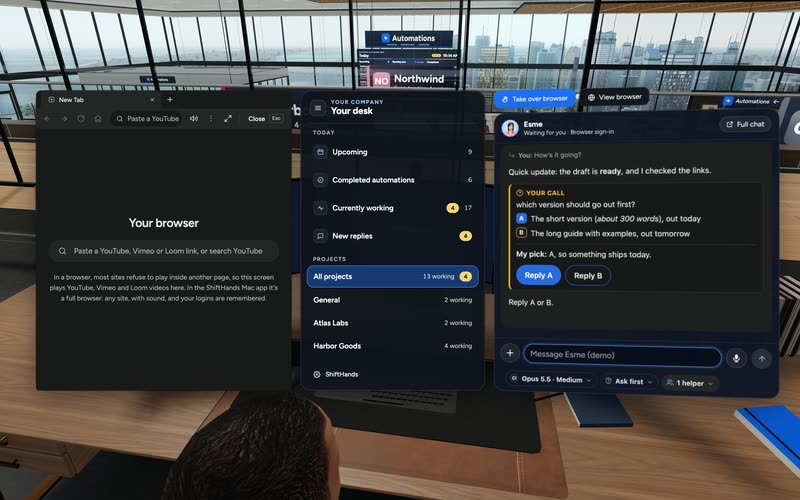
Sit down to see every project and every agent at a glance, and chat with anyone without leaving your chair.
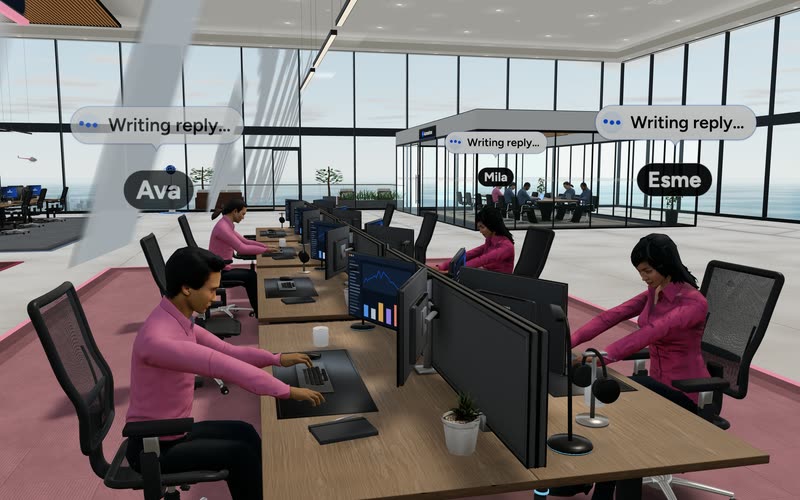
Every agent has a desk in its project area. Agents running an automation head to the Automations room. Walk up to any agent and chat.
Rendered in the ShiftHands demo workspace with made-up names. Open the Virtual Environment from the sidebar or from Chief of Staff in the app. Agents still run on your Mac and use your connected AI accounts.
The agent works from what you give it and from public pages it can open.
Point it at articles, newsletters or public pages and ask for angles worth posting about, with the links it used.
One source, several drafts: a longer LinkedIn post, a short X post, a Threads version. Say the length and tone you want.
Ask it to list where each claim came from, so you can check the facts before anything goes out.
Paste example posts and your brand guidelines into the task. The agent follows them as instructions; there is no separate brand kit or trained model.
Text drafts only. ShiftHands doesn’t pull social analytics, spot trends on its own or create images and video.
Scheduled work
Attach a schedule to an agent and it prepares drafts on time, for example every Monday morning. Each run posts a result card in the agent’s chat.
This schedules the agent’s work, not your posts. There is no publishing calendar or post queue.
Setting up your first recurring job? See how to schedule AI agent tasks.
Browser
For research on the open web, or to work inside a site you’re signed in to, an agent uses a live browser on your Mac. Each browser gets its own tab.
Whether an agent can do anything inside a social network depends on that network’s rules, your account’s permissions and any verification checks. Start with drafts.
Review and approvals
An agent can prepare social posts for you to review, but editorial review is not an automatic publishing gate. ShiftHands can hold flagged commands for Allow once or Deny, depending on each agent’s settings. Not every file change, browser click or publish action is necessarily held. If you need every post approved before it goes live, keep the agent’s task draft-only and publish manually, or use a social platform with a dedicated approval workflow.
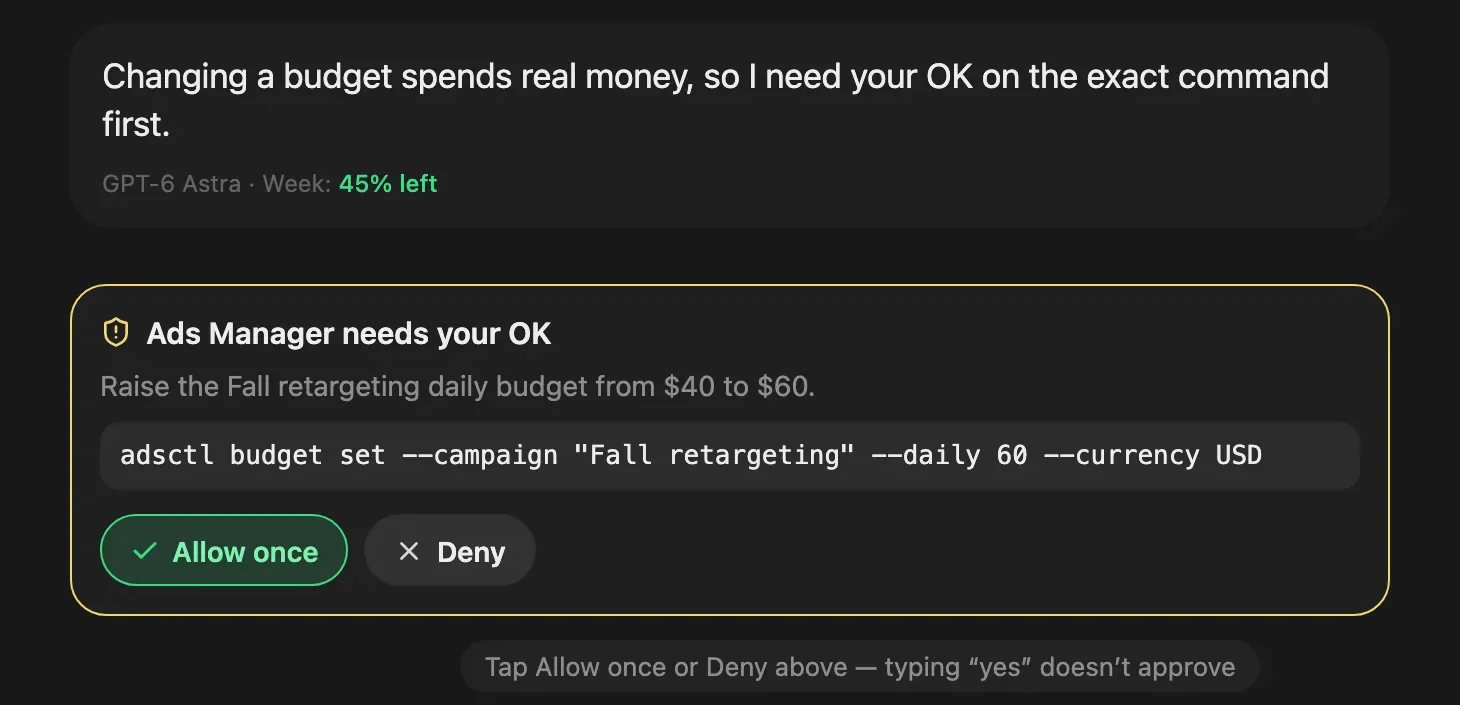
An approval card from the ShiftHands demo workspace, with made-up names.
Want one place to check every agent’s status and results? See the ShiftHands AI agent dashboard.
Away from your desk? You can manage AI agents from your phone browser while the Mac does the work.
Six steps. Start with one draft-only task.
Use a compatible Apple-silicon Mac. See where ShiftHands agents run.
Sign in with Claude or ChatGPT, or add an API key.
Name it something like Social Content and add an agent.
Add example posts, brand guidelines and approved source material.
Request a draft-only batch and review its output in chat.
Once the drafts are useful, set a daily or weekly preparation run.
If the workflow needs browser research, install Ego Lite separately first.
ShiftHands is a workspace for agents, not a social media management suite. Here is what is and isn’t in the box.
Included
Not included
The ShiftHands plan sets your limits. AI usage runs on the account you connect.
25 messages a day, 1 project, 3 agents and 2 automations that run at most once a day.
No plan-level cap on messages, projects, agents or automations; fair use applies. Adds hourly and every-few-hours schedules.
Your connected provider’s pricing and limits apply. ShiftHands doesn’t sell model credits.
Agents need an Apple-silicon Mac that stays on with ShiftHands open.
Automation runs don’t count toward the Free message allowance. Provider limits and Mac capacity still apply. Social platform subscriptions aren’t included. Full details: ShiftHands pricing.
It suits people who want help preparing posts and are happy to publish them themselves.
A good fit if
Look elsewhere if
Drafts can be written for any network. ShiftHands has no built-in connection to LinkedIn, Instagram, X, TikTok, Facebook or Threads.
No. It schedules the agent’s preparation work, such as a weekly draft batch. It has no publishing calendar.
Only by using a site in its browser after you sign in, and only where that network’s rules and your account allow. We recommend draft-first tasks and publishing yourself.
Not automatically. Flagged commands wait for Allow once or Deny, depending on each agent’s settings. For a guaranteed check, keep the task draft-only.
No. If a task needs a signed-in site, you take control of the browser and sign in yourself, then return it to the agent.
Free is $0 with 25 messages a day and 2 daily automations. Pro is $49.99 a month or $499 a year. Your AI provider’s pricing applies on top.
We don’t promise followers, reach or engagement. It helps you prepare posts; results depend on what you publish.
Download the Mac app, add an agent and ask it for one batch of draft posts. Review them in chat.
Needs an Apple-silicon Mac (M1 or newer) with macOS 13 or later.
Screens and video come from the ShiftHands demo workspace with made-up names. Features and prices were checked on October 29, 2026 and can change.
ShiftHands is a Mac app for running and supervising a team of AI agents. The agents run on your own Apple-silicon Mac; you can monitor their work, chat with them and respond to flagged command approvals from the Mac app or a desktop or phone browser.
What can an AI agent do for social media?
Give it a clear task and the material to work from. Each job ends with something you can read, edit and decide on.
Topic research
On demand“Review these industry articles and identify five topics worth discussing on LinkedIn.”
Output: Five ideas with source links and suggested angles.
Platform-specific drafts
On demand“Turn this approved article into LinkedIn, X and Threads drafts.”
Output: Separate drafts adapted to each platform.
Weekly content preparation
Every Monday“Every Monday, prepare three posts based on these supplied topics.”
Output: A scheduled result card containing draft posts.
Competitor content review
Weekly“Review these public competitor profiles and identify themes in their recent posts.”
Output: Observed themes with links and dates.
Reply preparation
On demand“Draft responses to these customer questions without sending them.”
Output: Suggested responses for human review.
These are illustrative configurations, not independently tested results. An agent can only use the accounts, tools and browser access you give it.