
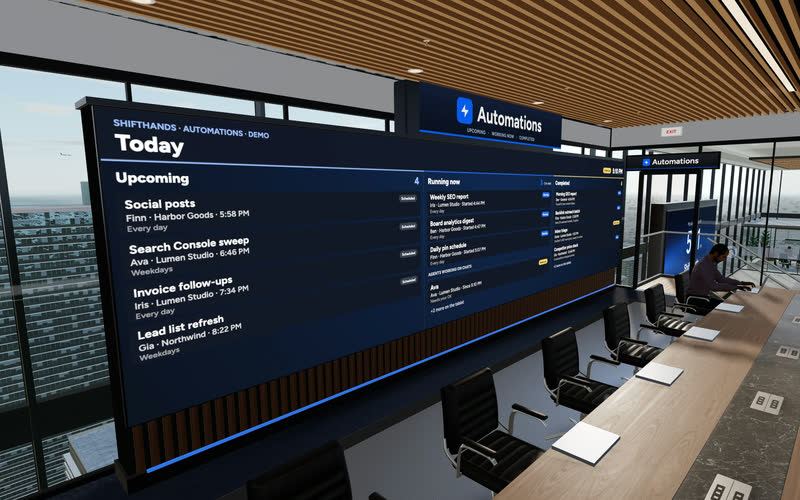
The Automations Wall
A big screen shows today’s Upcoming, Running now and Completed automations. Step up to the tablet to take a closer look at any run.
Your AI agents can keep working on your Mac while you’re away. Open ShiftHands in your phone’s browser to see who’s working, read replies, give new instructions and answer flagged command approvals. Your Mac stays in charge of running the agents; your phone is where you check in and make decisions.
Phone tour
A real recording of the ShiftHands web app on a phone: the home list, an agent at work, then a finished automation and its result card.
Illustrative flow for an agent action that requires approval; not every action is gated.
Recorded in the ShiftHands demo workspace with made-up names.
Live status
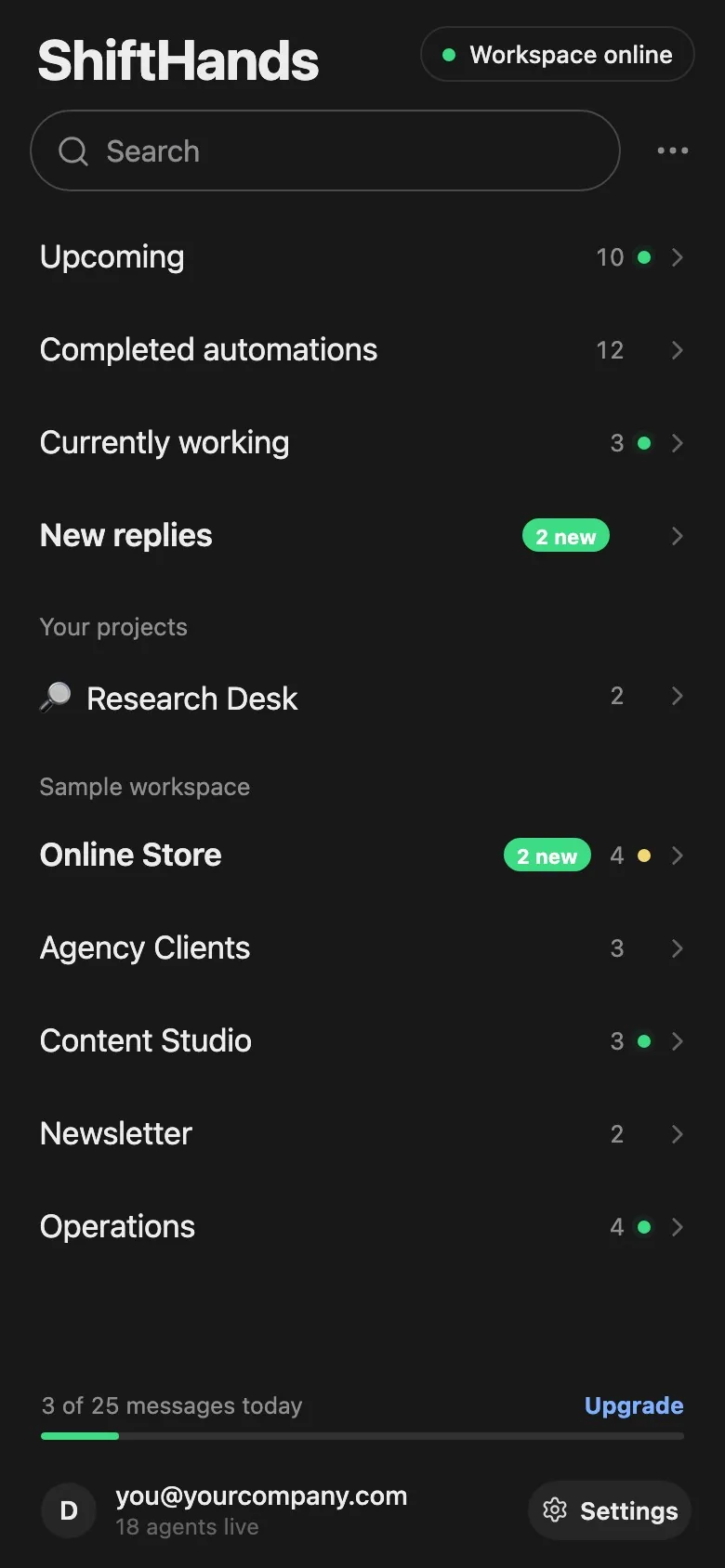
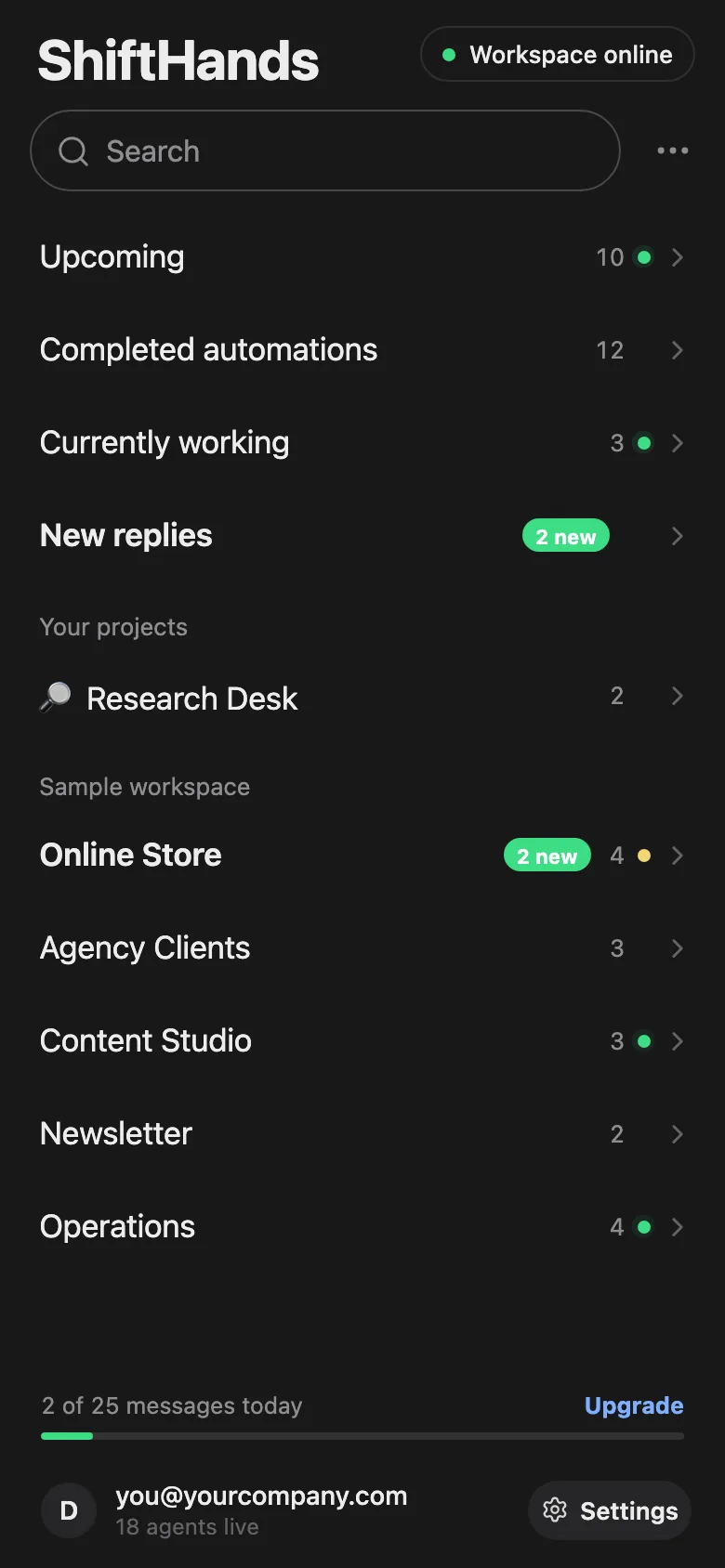
Open ShiftHands and the home list answers the first question in a few seconds: what is happening right now. Counts for Upcoming, Completed, Currently working and New replies sit at the top, with your projects below.
Inside a project, each agent shows what it is doing at a glance.
Typing away on your task. The chat shows each step as it happens.

Waiting on an approval or a quick hand in the browser.

Resting until the next message or scheduled automation.
Virtual Environment
Every ShiftHands plan, Free included, comes with the Virtual Environment: a 3D office in the app where your agents work at their desks, grouped by project. Walk over, pull up a chair, and watch your crew get it done.

A big screen shows today’s Upcoming, Running now and Completed automations. Step up to the tablet to take a closer look at any run.
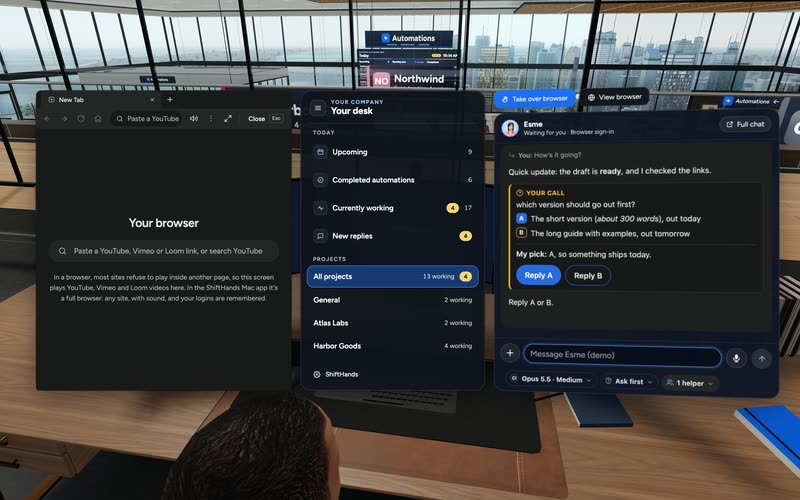
Sit down to see every project and every agent at a glance, and chat with anyone without leaving your chair.

Every agent has a desk in its project area. Agents running an automation head to the Automations room. Walk up to any agent and chat.
Rendered in the ShiftHands demo workspace with made-up names. Open the Virtual Environment from the sidebar or from Chief of Staff in the app. Agents still run on your Mac and use your connected AI accounts.
One Mac does the work. Your phone is a window onto it.
Agents, their tools, browsers and schedules run in the ShiftHands Mac app on your Apple-silicon Mac, which stays on with ShiftHands open.
Sign in at shifthands.com in your phone’s browser to see the same projects, agents and chats. There is no separate phone agent runtime.
Live traffic between your phone and your Mac passes through ShiftHands’ relay over an encrypted connection, and the relay does not save it.
Requests go to the Claude, ChatGPT or API-key provider you connect, under its own terms and usage limits.
ShiftHands is not a native phone app, and it does not operate apps on your phone. It lets you supervise agents that run on your Mac.
Notifications
You don’t have to keep checking. When an agent needs you, ShiftHands tells you in a few places at once.
Notifications depend on your phone’s browser and permission settings. Your Mac has to be on, awake and running ShiftHands for an agent to reach you.
Approvals
Some agent commands are flagged for your decision. ShiftHands shows each one as a plain-English request you can answer from your phone.
Approval behaviour depends on each agent’s settings. Not every file change or send is gated.
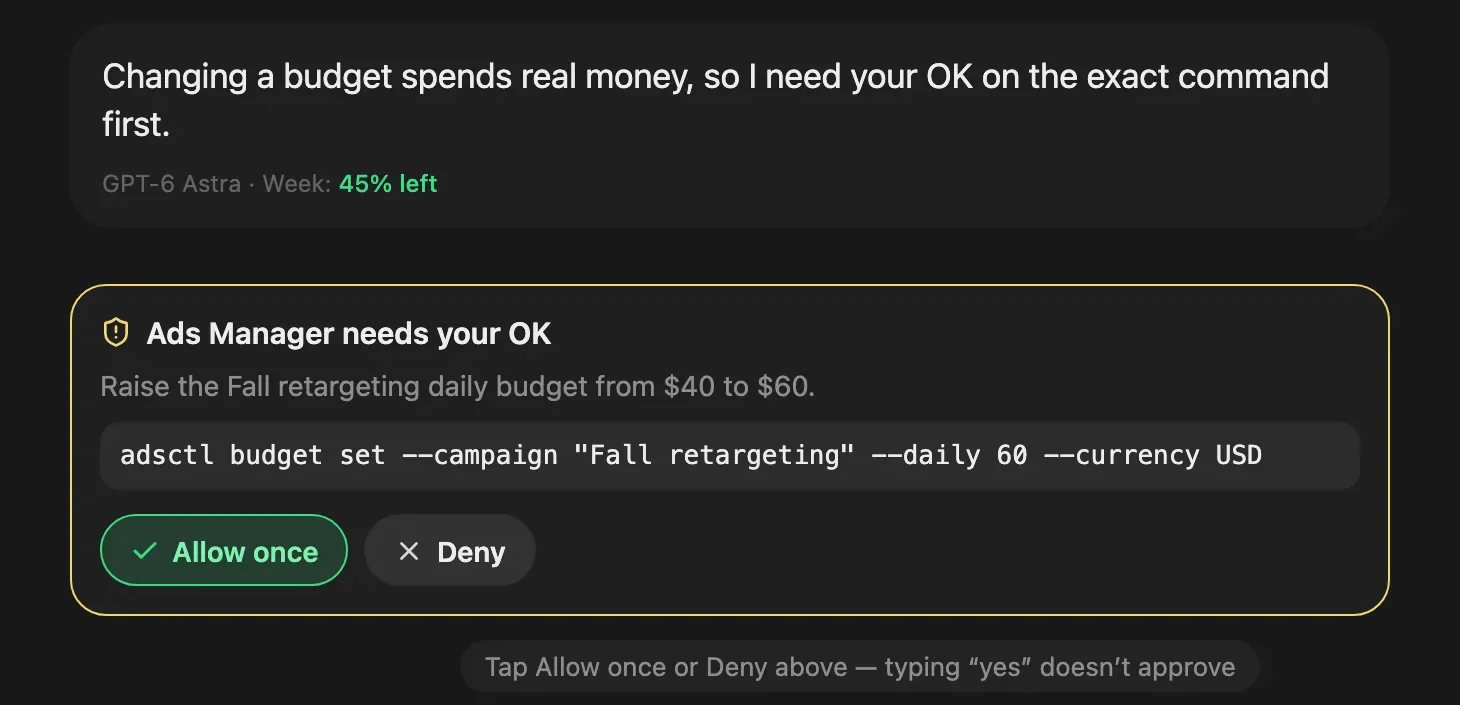
An approval card from the ShiftHands demo workspace, with made-up names.
Chats & results
Short interventions are what a phone is good for. Open an agent, read where it is, send the next instruction and move on.
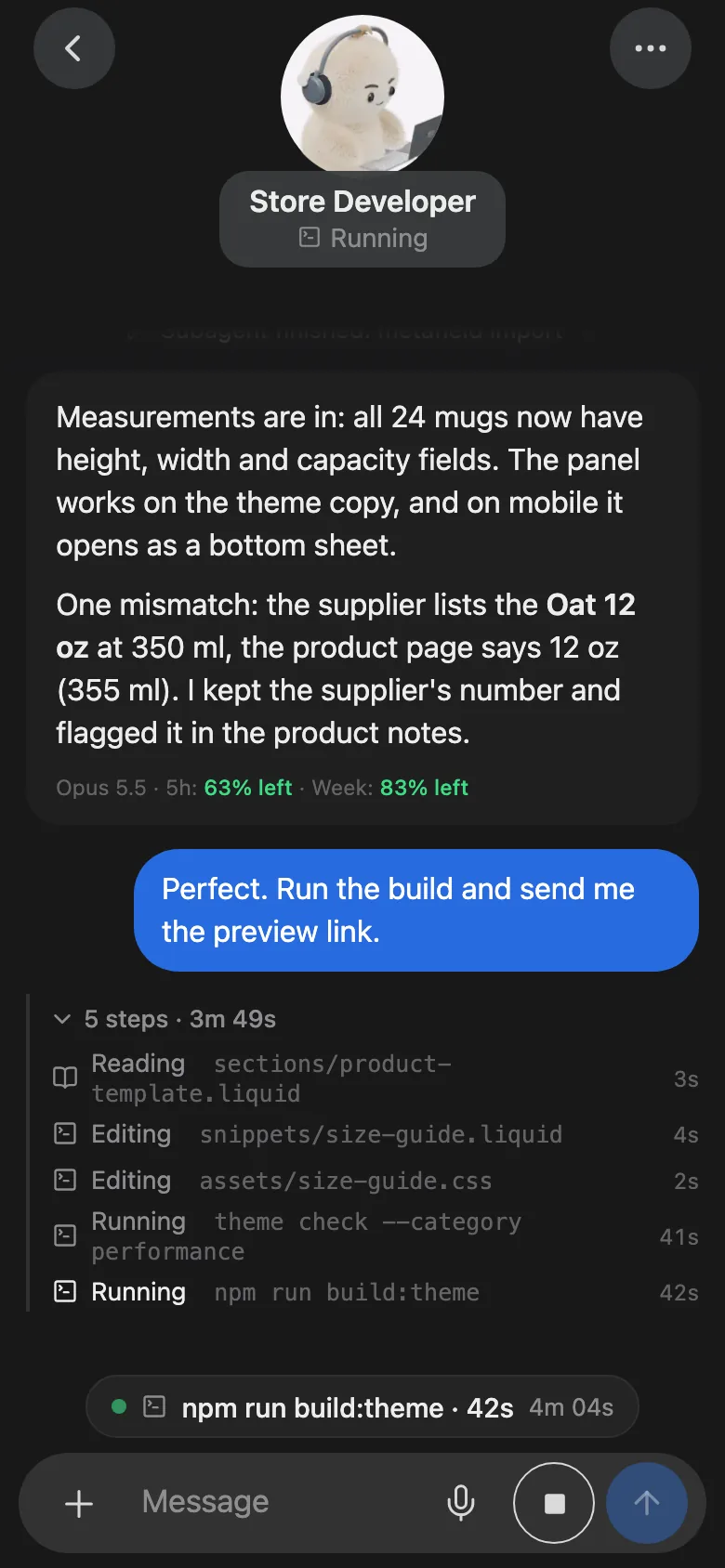
Open any agent’s chat to see its step log and live status. Send a message mid-task and it reaches the agent right away.
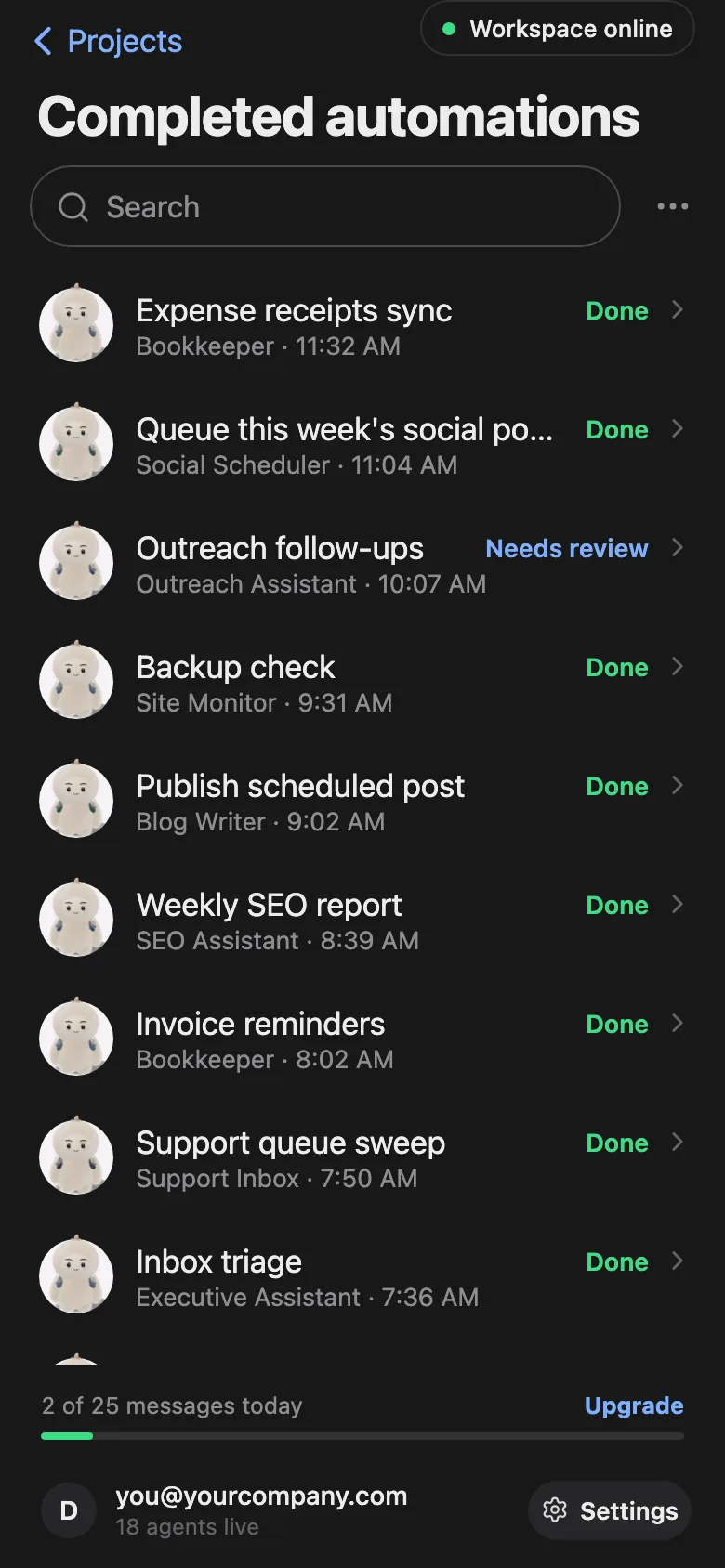
The Completed list shows each scheduled run as Done or Needs review. Open one for its result card in the agent’s chat.
Want recurring work ready to review when you check your phone? Our scheduled AI agent tasks guide shows how to set up automations and review each run’s result.
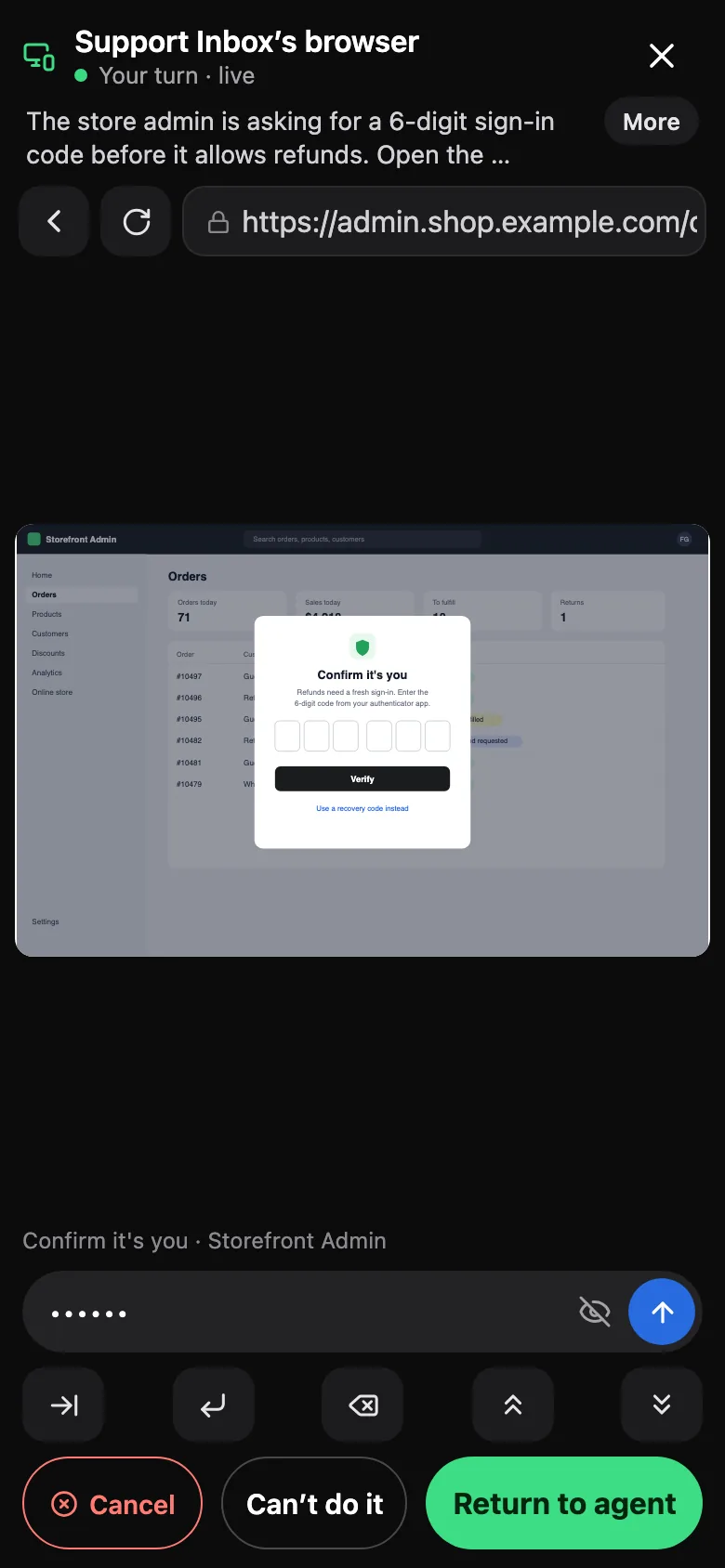
If an agent’s browser hits a code or sign-in step, open its live browser view, do that step, then tap Return to agent.
Links an agent shares open in a panel on your phone, with back, forward, reload and copy controls. Screens come from the ShiftHands demo workspace with made-up names.
There is no pairing code, port forwarding or phone app to install.
Download ShiftHands on an Apple-silicon Mac. See where ShiftHands agents run.
Sign in with Claude or ChatGPT, or add an API key.
Give it a project and a job, and let it start working.
Leave it on and awake with ShiftHands open. A dedicated machine works well; see the Mac mini AI agent setup guide.
Open shifthands.com in your phone’s browser and sign in to the same account. Turn on notifications if you want them.
Your phone can only reach agents through the Mac that runs them.
If the Mac sleeps, shuts down or quits ShiftHands, its agents stop working until it is back.
Messages you send while the Mac is offline wait on ShiftHands’ servers and are delivered when it reconnects, then deleted from the server.
Scheduled work that was missed while the Mac slept runs when it wakes.
You need one Mac to host the agents. Any recent phone browser can supervise them.
Apple silicon (M1 or newer), macOS 13 or later and 8 GB of RAM.
A phone browser for viewing, chatting and approvals. On iPhone, add ShiftHands to the Home Screen for notifications.
Any web browser can open the same workspace.
Phone access is part of every plan. Full details are on ShiftHands pricing.
25 agent messages a day, 1 project, 3 agents and 2 daily automations.
No plan-level caps on projects, agents or automations. Fair-use caps still apply.
Agent work uses the AI accounts you connect, under their own limits.
It suits quick check-ins and decisions while the real work carries on at home or in the office.
Phone supervision fits if
Look elsewhere if
No. ShiftHands is not a native phone app. You use it in your phone’s browser, and on iPhone you can add it to the Home Screen. Nothing is installed from the App Store or Google Play.
Yes, in the phone’s browser. On iPhone, notifications need the Home Screen web app on iOS 16.4 or later.
Yes, once you allow notifications on that phone. You get one reminder after 15 minutes. Delivery depends on your phone’s settings, and your Mac must be on with ShiftHands open.
Yes. Flagged commands show Allow once and Deny. Which commands are flagged depends on each agent’s settings, and typing “yes” in chat does not approve one.
Its agents pause. Messages you send wait and are delivered when the Mac reconnects, and missed scheduled work runs when it wakes.
No. Your phone reaches your Mac through ShiftHands’ encrypted relay after you sign in to the same account.
The Claude or ChatGPT account you sign in with, or providers you add with an API key.
Yes. Free includes 25 agent messages a day, 1 project, 3 agents and 2 daily automations.
Download the Mac app, start an agent, then sign in on your phone to check in from anywhere.
Needs an Apple-silicon Mac (M1 or newer) with macOS 13 or later. See where ShiftHands agents run, or the AI agent dashboard for the full workspace view.
Screens and video come from the ShiftHands demo workspace with made-up names. Features and prices were checked on October 26, 2026 and can change.